7. Survey
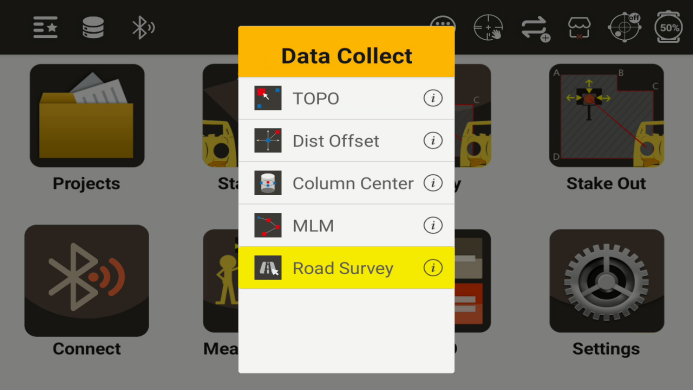
After setting up the station, data collection can be carried out through the survey program
Survey menu
7.1 TOPO
After clicking the TOPO button, can see the following interface
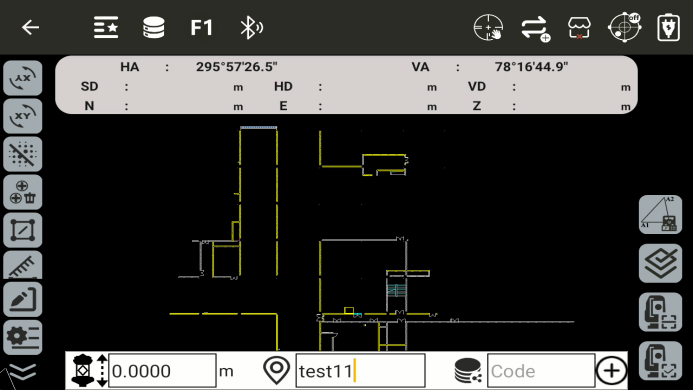
◆ HA: Horizontal angle. Display the current horizontal angle value
◆ VA: Vertical angle. Display the current vertical angle value
◆ HD: Horizontal distance. Display the measured horizontal distance value
◆ VD: Vertical distance. Display the measured vertical distance value
◆ N: Display the N coordinate of the current measurement point
◆ E: Display the E coordinate of the current measurement point
◆ Z: Display the Z coordinate of the current measurement point
◆
 : Display the current prism height
◆
 : Enter the name of the measurement point
◆
 : Enter the code of the measurement point
◆
 : Coordinate forward calculation
◆
 : Inverse coordinate calculation
◆
 : Call point to line inverse calculation
◆
 : Delete the previous point
◆
 : Area measurement
◆
 : Distance measurement
◆
 : Angle measurement
◆
 : Call calculator
◆
 : Lock screen: Prevents accidental touches
◆
 : Redraw
◆
 : Center the selected element
◆
 : Create a new target point
◆
 : Pointer catch
◆
 : Layer
◆
 : Export
◆
 : Import
◆
 : Full view: Shows all elements
◆
 : Set background color
◆
 : Zoom in
◆
 : Zoom out
◆
 : Settings: Open the common settings interface
◆
 : Resection: quick access
◆
 : Confirmation after measurement
◆
 : Measure
◆
 : Measure and store
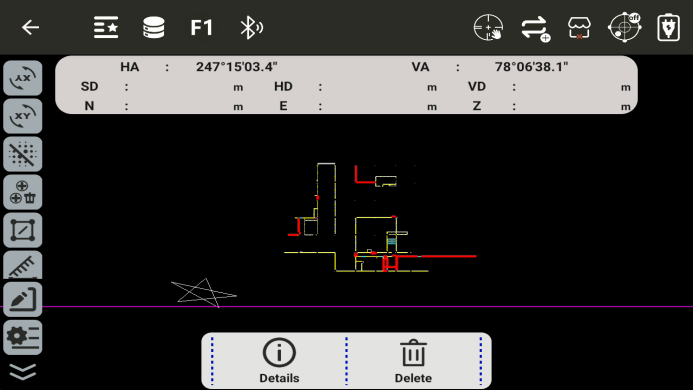
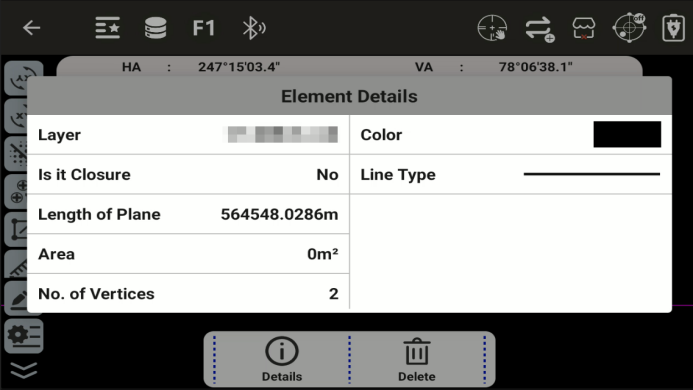
Select a element to view its details or delete it
◆
 Detail: View the details of the element
◆
 Delete: Measure and store
7.2 Dist Offset
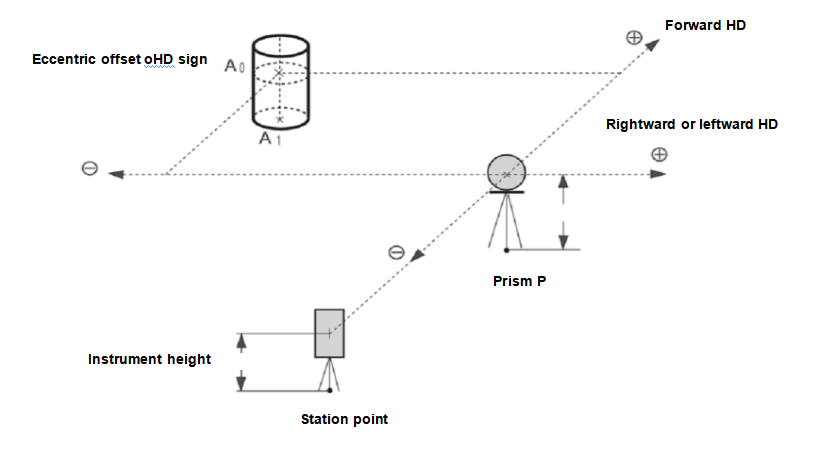
The listed directions are all relative to the perspective of the measure
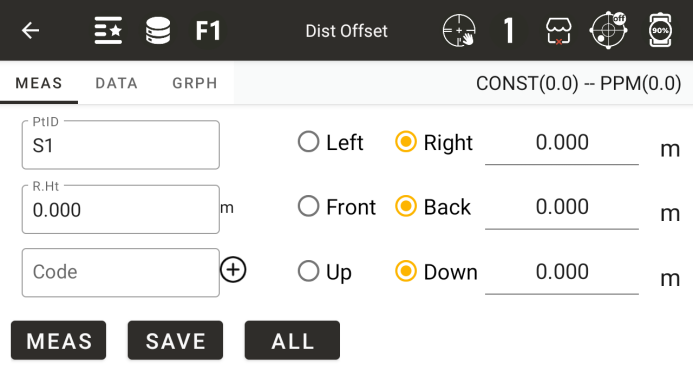
◆ PtID: Enter the name of the measurement point
◆ R.Ht: Enter the current mirror height
◆ Code: Input or call code
◆ [Left] [Right]: Enter the left or right offset
◆ [Front] [Back]: Input the offset before or after
◆ [Up] [Down]: Input up or down offset
◆ [Meas]: Start measuring
◆ [Save]: Save data
◆ [All]: Measure and save
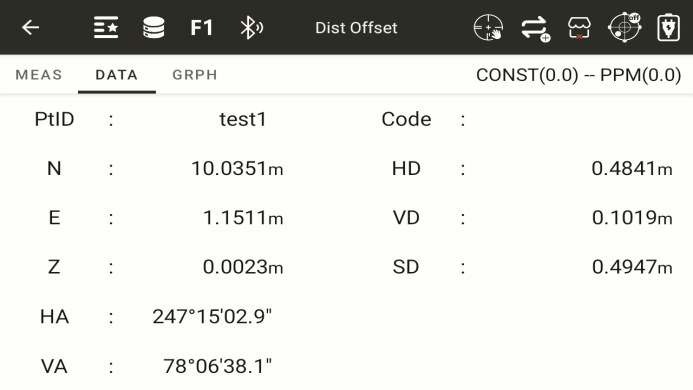
◆: Display the calculated coordinate values and the measured result values
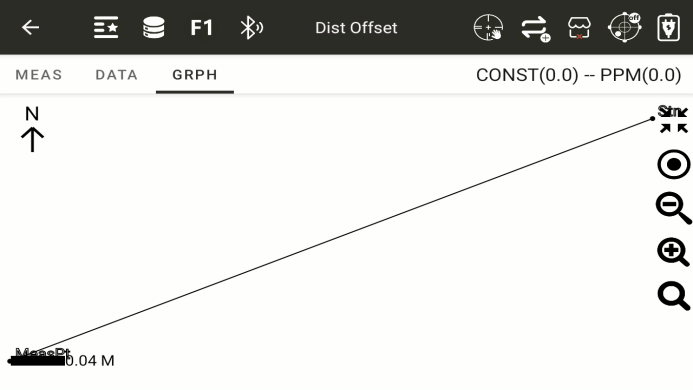
◆: A graph displaying distance offset
7.3 Column Offset
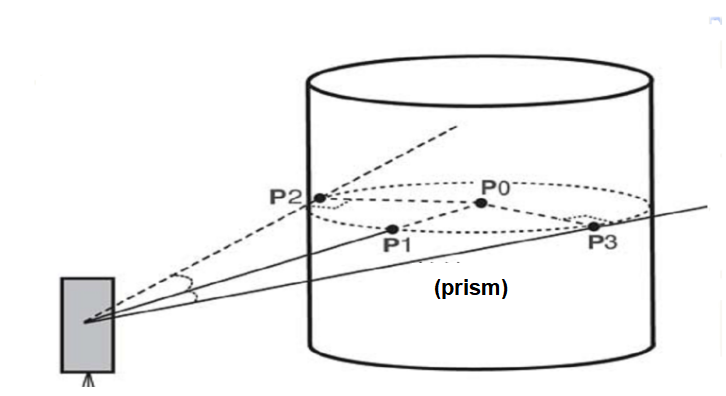
Firstly, directly measure the distance of point (P1) on the cylindrical surface, and then calculate the distance, direction angle, and coordinates of the center of the cylinder by measuring the direction angles of points (P2) and (P3) on the cylindrical surface.
The directional angle at the center of the cylinder is equal to the average of the directional angles at points (P2) and (P3) on the cylindrical surface
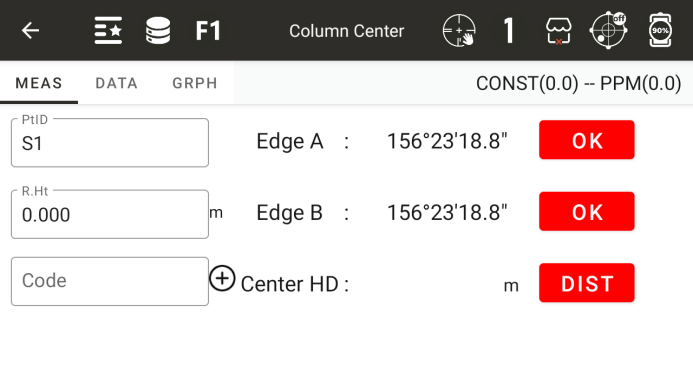
◆ PtID: Enter the name of the measurement point
◆ R.Ht: The height of a prism
◆ Code: Code of the test point
Edge A: Aim at the side of the column, after aiming, click ok
Edge B: Aim at the other side of the column,after aiming, click ok
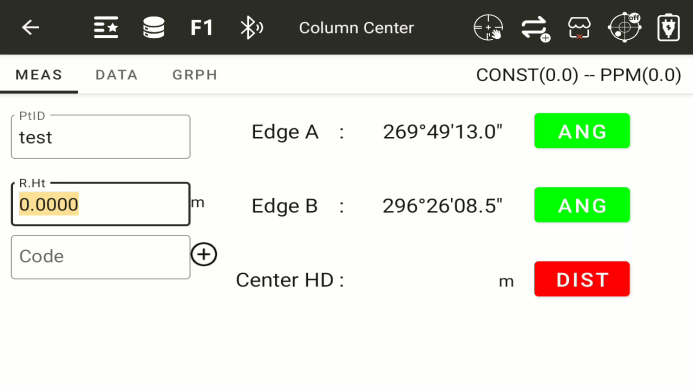
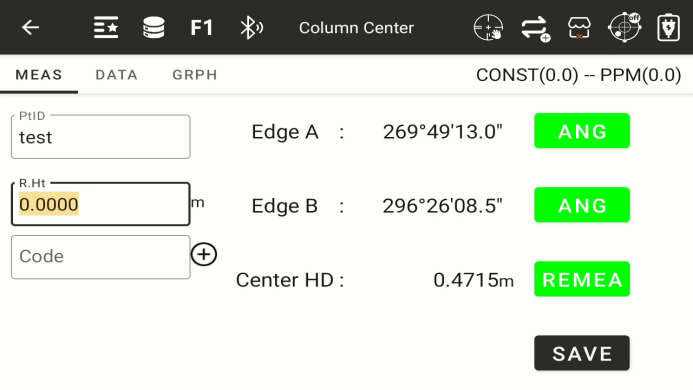
◆ Center HD: Measure distance by aligning with the center of the column,after aiming prism, click dist button
◆ [Save]: To save the measurement results, it is necessary to first complete the measurement of two angles and distances
◆: After the measurement is completed, display the calculated center coordinates and the measurement results
◆: A schematic diagram displaying the measurement of the center point of a column
7.4 MLM
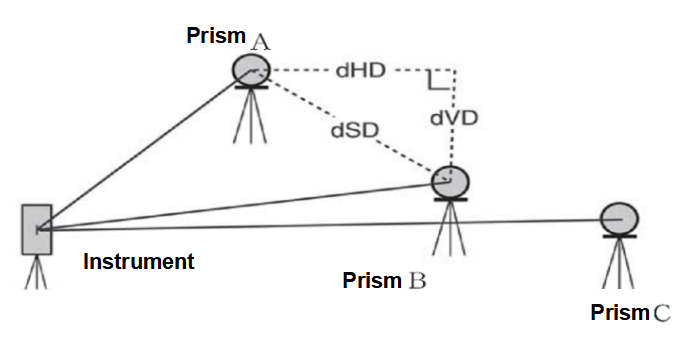
Measure the horizontal distance (dHD), slant distance (dSD), elevation difference (dVD), and horizontal angle (HR) between two target prisms. You can also directly input coordinate values or call coordinate data files for calculation.
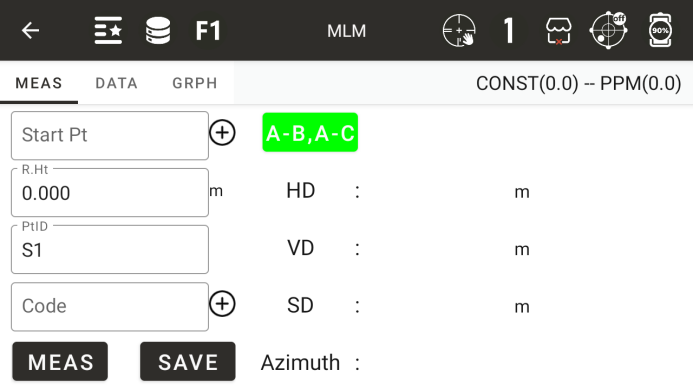
◆ Start point: Input or call a known point as the start point, which defaults to the measurement station
◆ R.Ht: The height of a prism
◆ Horizontal distance: the horizontal distance between the starting point and the measuring point
◆ vertical distance: The height of a prism
◆ Height difference: The height difference between the starting point and the measuring point
◆ Diagonal distance: the diagonal distance between the starting point and the measuring point
◆ Orientation: The azimuth angle from the starting point to the measuring point
◆ Roll call: Enter the roll call of the test point to be tested
◆ Code: Code of the test point
◆ [Lock]: Lock the current starting point, otherwise the starting point will be the coordinates of the previous measured point
◆ [Save]: Save the coordinates of the current measurement point
◆ [Measurement]: Start measuring
7.6 Lines and Extension Points
Obtain the coordinates of the point to be measured by measuring the coordinates of two points and inputting the extension distance between the starting and ending points
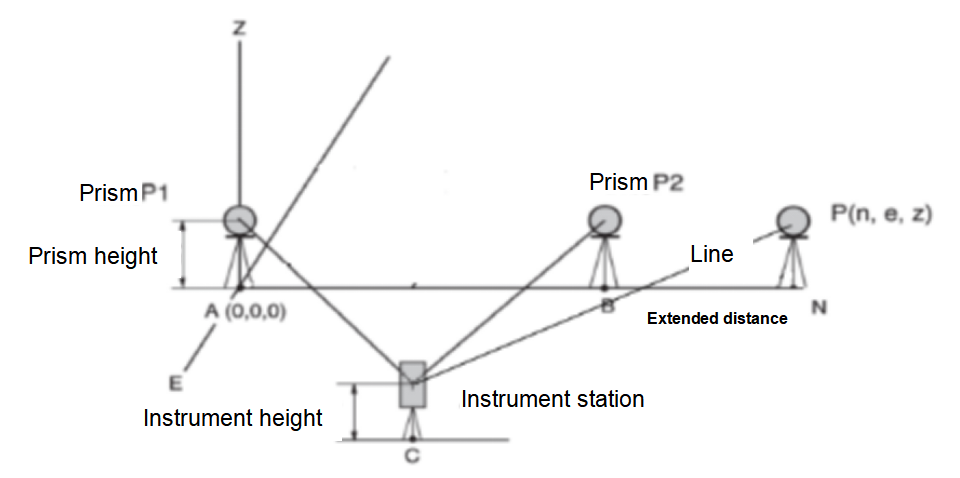
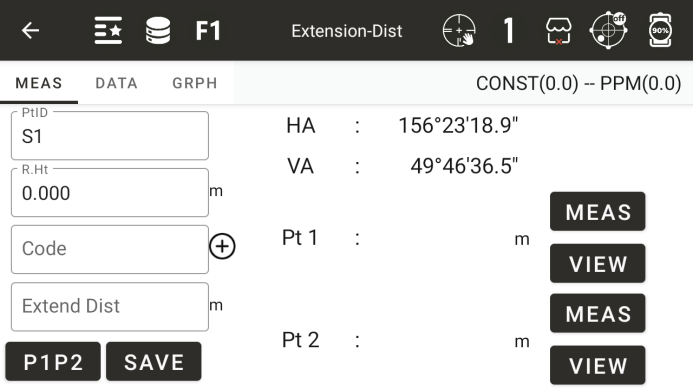
◆ Roll call: roll call of the measurement point to be measured
◆ Mirror height: The height of a prism
◆ Code: The code of the point to be measured
◆ Horizontal angle: The current horizontal angle value of the instrument
◆ Vertical angle: The current vertical angle value of the instrument
◆ Point 1: Diagonal distance to the first measurement point
◆ Point 2: Diagonal distance to the second measurement point
◆ Extension distance: Enter the distance of the extension line
◆ [Measurement]: Measure the coordinates of point 1 or point 2
◆ [View]: View the coordinates of the measurement completion point
◆ [Positive]: Enter the direction of extending the distance
◆ [Save]: Save the coordinates of the extension point
7.7 Line and Angle Measurement
Obtain the coordinates of the test point by measuring the coordinates of two points and the azimuth angle from the measuring station to the test point
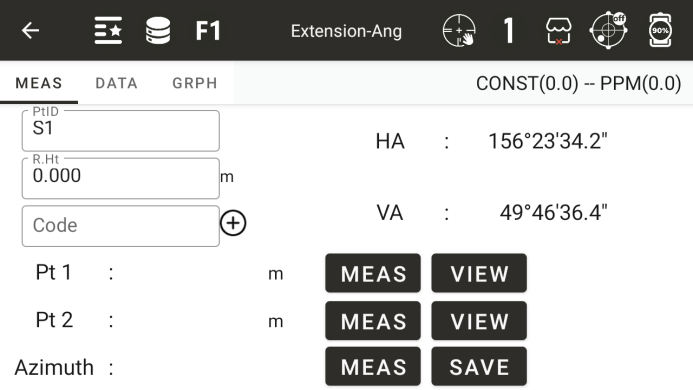
◆ Roll call: roll call of the measurement point to be measured
◆ Code: The code of the point to be measured
◆ Mirror height: The height of a prism
◆ Horizontal angle: The current horizontal angle value of the instrument
◆ Vertical angle: The current vertical angle value of the instrument
◆ Point 1: Diagonal distance to the first measurement point
◆ Point 2: Diagonal distance to the second measurement point
◆ Orientation: The measured orientation from the measuring station to the point to be measured
◆ [Measurement]: Measure the coordinates of point 1 or point 2, or the orientation of the point to be measured
◆ [View]: View the coordinates of the measurement completion point
◆ [Save]: Save the coordinates of the test point to be measured
7.8 REM
Measure a known target point, and then continuously change the vertical angle to obtain the height difference between a point at the same horizontal position as the known target point and the known target point
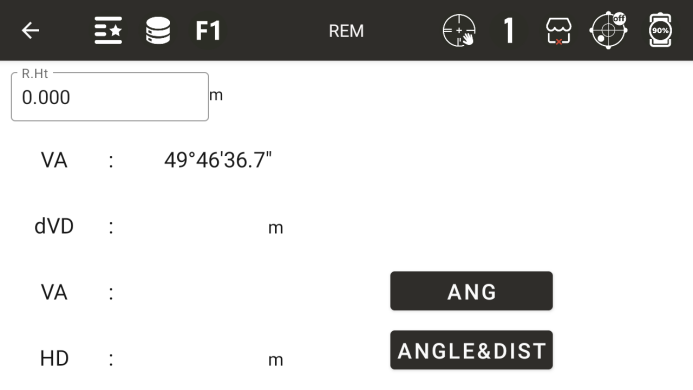
◆ R.Ht: Prism height
◆ Vertical angle: The current vertical angle
◆ Vertical distance difference: the height difference between the measuring point and the target point
◆ Vertical angle: measure the vertical angle of a known point
◆ Horizontal distance: measure the horizontal distance of a known point
◆ [Angle measurement]: Measure the vertical angle value of a known point
◆ [Angle&Dist]: Measure the horizontal distance and vertical angle of a known point
8.9 F1/F2
By measuring on the left/right side of the disc, the final angle value is obtained