Stationing
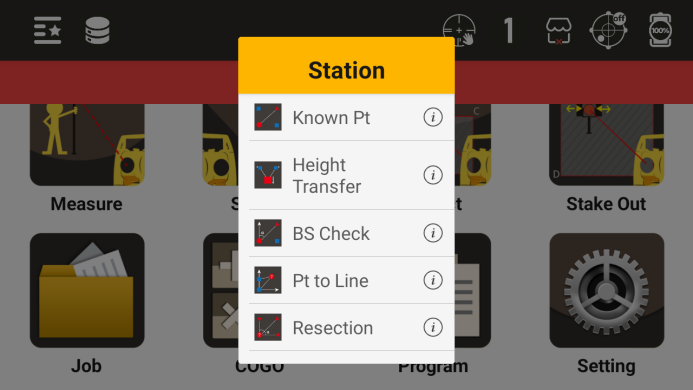
Before conducting measurements and Stake out, it is necessary to establish stations at known points
Stationing menu
6.1 BS Orientation
● Set the BS orientation through known points. There are two ways to set the BS orientation: one is through a known BS orientation point, and the other is through a known BS orientation azimuth angle
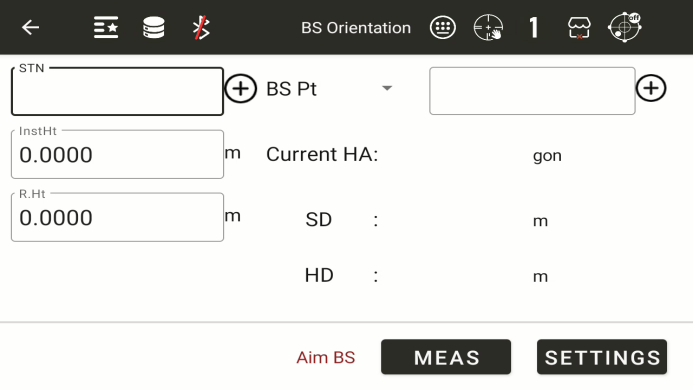
◆ STN: Enter the name of a known station and use the "+" symbol to call or create a new known point as the station
◆ InstHt: Instrument height.Enter the current instrument height
◆ R.Ht: Mirror height.Enter the current prism height
BS Angle: Choose BS angle or BS point. Enter the name of a known BS orientation point, and use "+" to call or create a new known point as the BS orientation point
Current HA: Current horizontal angle, displays the current horizontal angle
◆ Settings: Set the BS orientation angle based on the current input. If the previous input does not meet the calculation or setting requirements, a prompt will be given
● Set the BS orientation by directly inputting the BS orientation angle
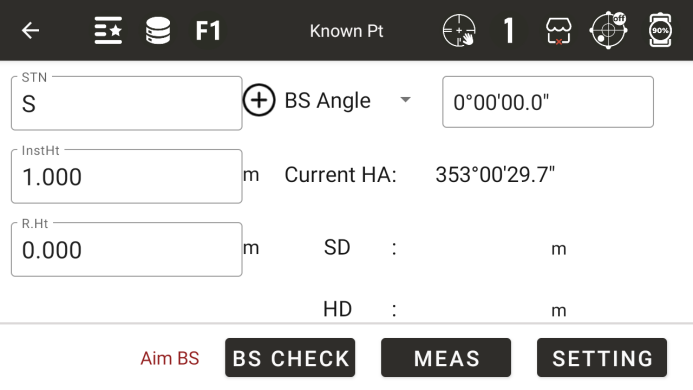
◆ BS Angle: Enter the BS orientation angle value
◆ Meas:Measurement,check BS orientation point
6.2 Height Transfer
Obtain the elevation of the current measuring station by measuring a known elevation point
It is necessary to set up a station before setting the elevation of the measurement station
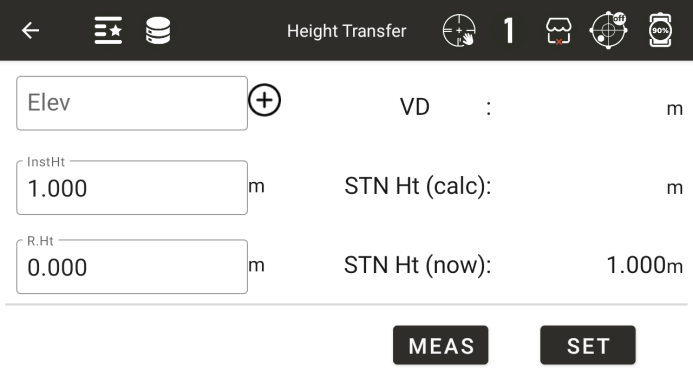
◆ Elevation: By inputting the elevation of a known point, the elevation of the called known point can be obtained
◆ R.Ht: Mirror height. The current height of the prism
◆ InsHt: Instrument height. The current height of the instrument
◆ Vertical distance: Display the current vertical distance
◆ Station height (calculation): Display the station height calculated based on the measurement results
◆ Station height (current): Display the current station height
◆ [Measurement]: Start measuring and automatically calculate the station height
◆ [Setting]: Set the current station height to the measured and calculated station height
6.3 Check BS
Check if the current angle value is consistent with the azimuth angle when setting up the station
It is necessary to set up a station before conducting a BS orientation inspection
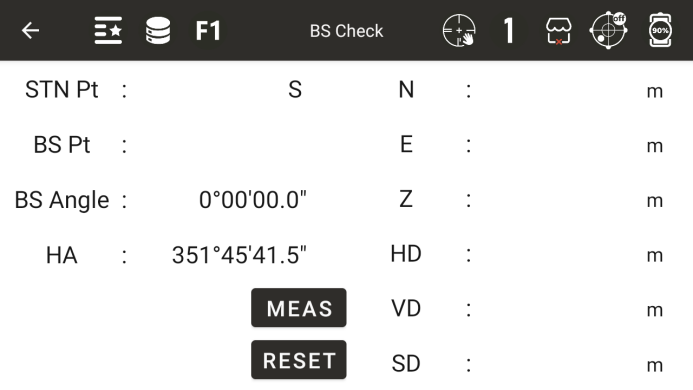
◆ STN Pt: Display the station point name
◆ BS Pt: Display the BS orientation point name. If the point obtained by inputting the BS orientation angle is displayed here, it will be empty
◆ BS Angle: Display the BS orientation angle
Horizontal angle: Display the current horizontal angle
Horizontal angle difference: displays the difference between the rear viewing angle and the horizontal angle
◆ N: Current measured north coordinates
◆ E: Current measured east coordinates
◆ Z: Current measured point height
◆ HD: Horizontal distance of current measurement point
◆ VD: Vertical distance of current measurement point
◆ SD: Slope distance of the current measurement point
◆ Meas: Measurement key
◆ Reset: Reset the current horizontal angle to the BS orientation angle value
6.4 To Axis
Firstly, measure any two points as reference points and click [Next]
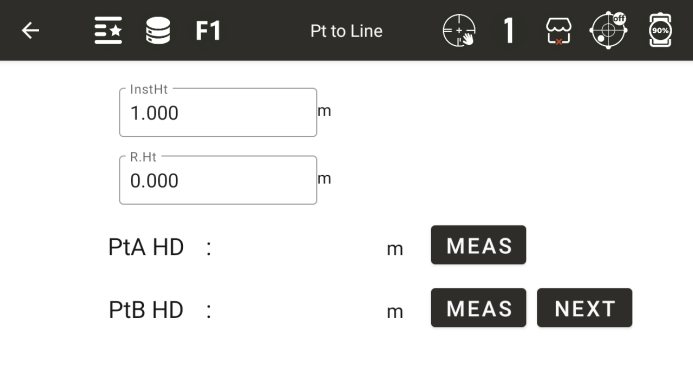
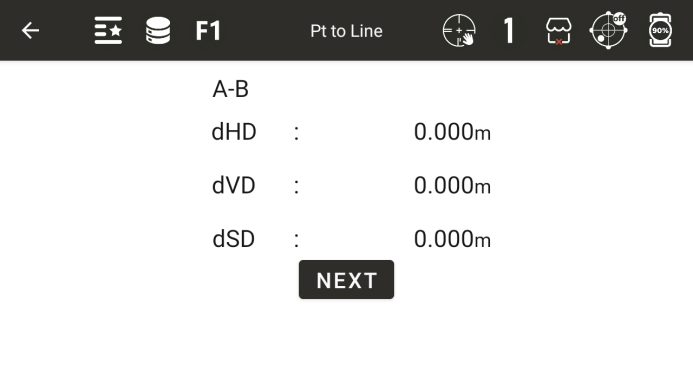
The instrument calculates the positional relationship between two points, click [Next]
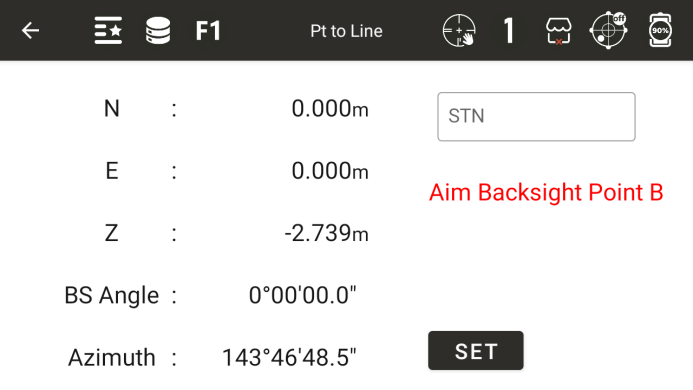
The instrument will automatically establish a coordinate system based on two points and enter the website construction interface. Click on the settings to complete the website construction
6.5 Resection
If the angle between the first and second points measured is too small or too large, the calculated result will be poor. The geometric accuracy may be poor, so it is necessary to choose a geometric shape that forms a good relationship between known points and stations
The minimum amount of data for a rear intersection is observed from three angles or two distances
Basically, the elevation of the measuring station is calculated from distance measurement data, but if distance measurement is not carried out, the elevation is only determined by angle measurement of known coordinate points
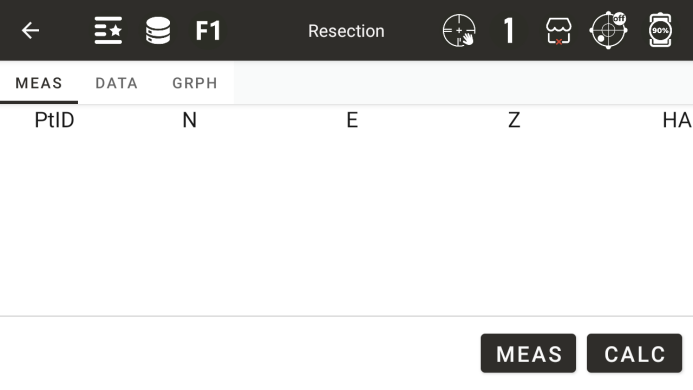
◆ [Measurement]: Enter the interface for measuring known points
◆ [Calculation]: Calculate the coordinates of the measurement site based on the known points that have already been measured
◆ [Clear]: Clear all data
◆ [Meas]: Show all measurement points
◆ [Data]: Display the calculated results
◆ [Graph]: Display the measurement results in the current list
● Interface for measuring known points
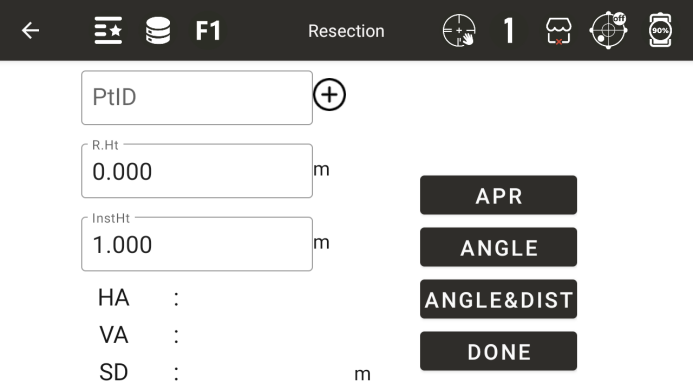
◆ PtID: Enter a known point
◆ R.Ht: Enter the current mirror height of the prism
◆ InstHt: Instrument height. The current height of the instrument
◆ Horizontal angle: Display the measured horizontal angle result
◆ Vertical angle: Display the measured vertical angle value
◆ SD: Slope distance of the current measurement point
◆ [Angle]: Only measure angles
◆ [Angle & Dist]: Angle measurement and distance measurement
◆ [Done]: Complete the measurement, save the current measurement result, and return to the previous interface
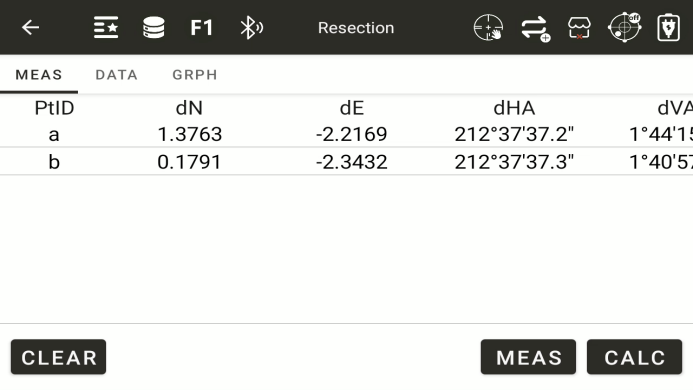
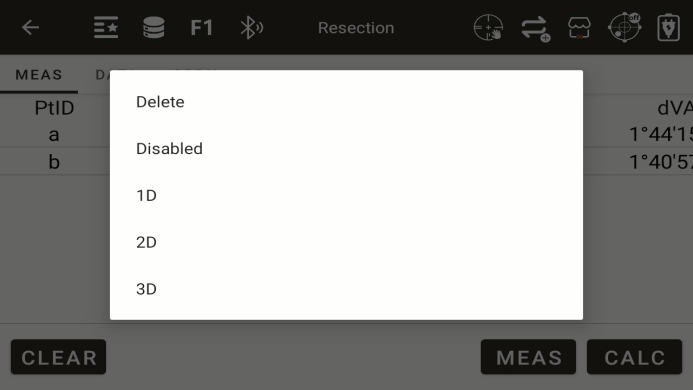
All measured points will be displayed on this screen.Long-press on a point to select
◆ [Delete]: delete selected points
◆ [Disabled]: Disable this point from participating in the solution
◆ [1D]: The N and E coordinates in the plane are not accurate enough; Only the elevation is used in the solution
◆ [2D]: The elevation in the plane are not accurate enough; Only the N and E coordinates is used in the solution
◆ [3D]: The N , E coordinates and elevation are used together in the solution.
Click the "Calc"button to go to the page where you can save station point
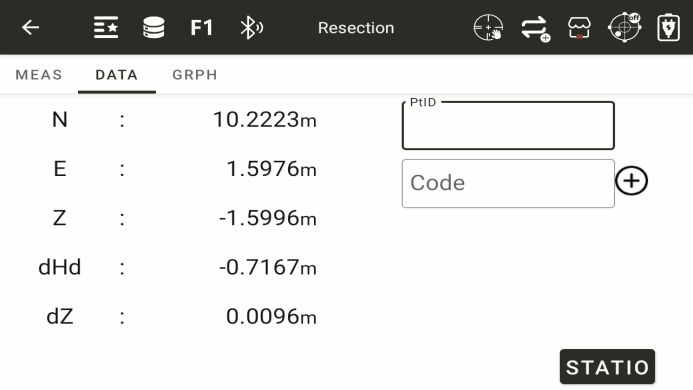
◆ [STATION]: Click the "station" button to set up the station.