Measurement
Under the measurement program, some basic measurement work can be completed.
Measurement Program Menu: Angle Measurement, Distance Measurement, Coordinate Measurement
5.1 Angle measurement
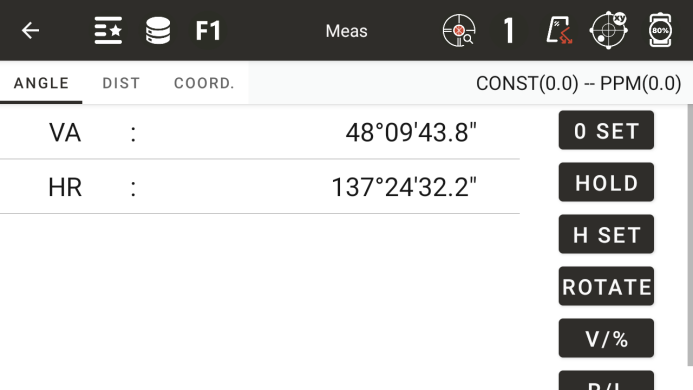
◆ Vertical angle: Display the vertical angle
◆ Horizontal left or horizontal right: Display the horizontal right corner or horizontal left corner
◆ [Set to zero]: Set the current horizontal angle to zero, and after setting, you will need to reset the rearview
◆ [Hold]: Keep the current angle unchanged until released
◆ [Disk Setting]: Set the current angle value by inputting, and after setting, the rearview will need to be reset
◆ [V/%]: Switch between normal and percentage vertical angle display
◆ [R/L]: Horizontal corner display switches between left and right corners
◆ [Rotation]: Automatically rotate the instrument to the specified angle
● Disk placement interface
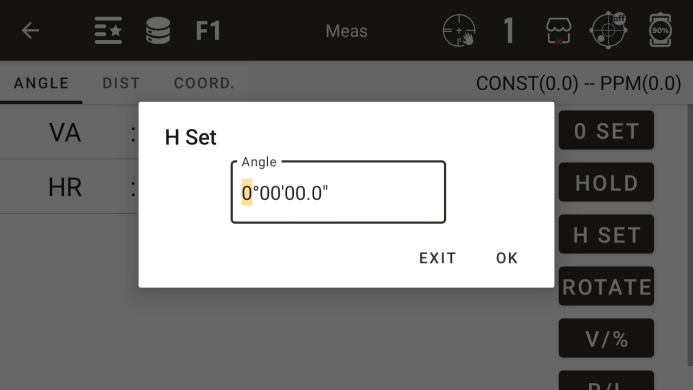
◆ Angle: Enter the horizontal angle value
● Rotating interface
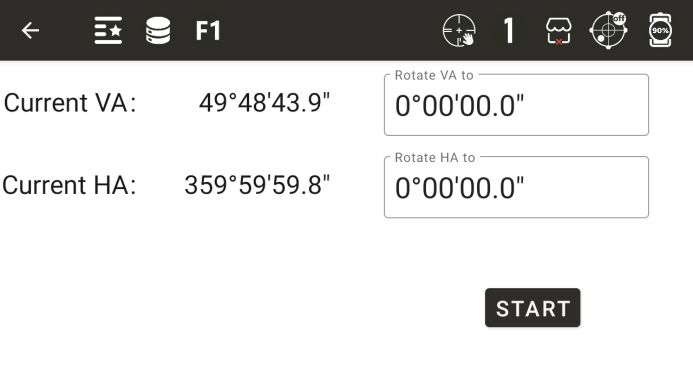
◆ Enter the vertical and horizontal angle values, click [Start Rotation], and the instrument will automatically rotate to the specified angle
5.2 Distance measurement
● Distance measurement interface
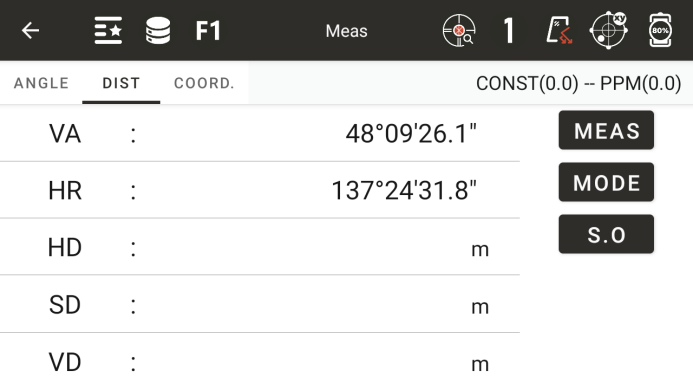
◆ Pitch: Display the pitch value
◆ Horizontal Distance: Display the horizontal distance value
◆ Vertical Distance: Display the vertical distance value
◆ [Measurement]: Start distance measurement
◆ [Mode]: Enter the measurement mode settings (see the settings section for specific operations)
◆ [Layout]: Enter the distance layout mode
● Input distance layout value interface
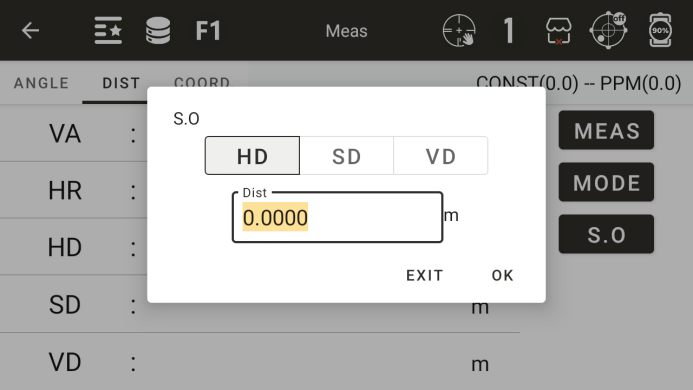
◆ [Horizontal Distance]: Enter the horizontal distance to be laid out
◆ [Vertical Distance]: Enter the vertical distance to be laid out
◆ [Tilt Distance]: Enter the tilt distance to be laid out
5.3 Coordinate measurement
Coordinate measurement interface
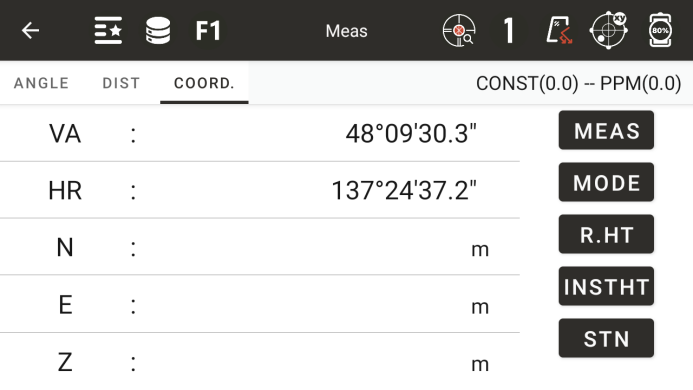
◆ North: North coordinate
◆ East: Eastern coordinates
◆ Height: Elevation
◆ [Measurement]: Start measuring
◆ [Mode]: Set the distance measurement mode
◆ [Mirror Height]: Enter the input prism height interface
◆ [Instrument Height]: Enter the input instrument height interface
◆ [Station]: Enter the station setting interface
● Input prism high interface
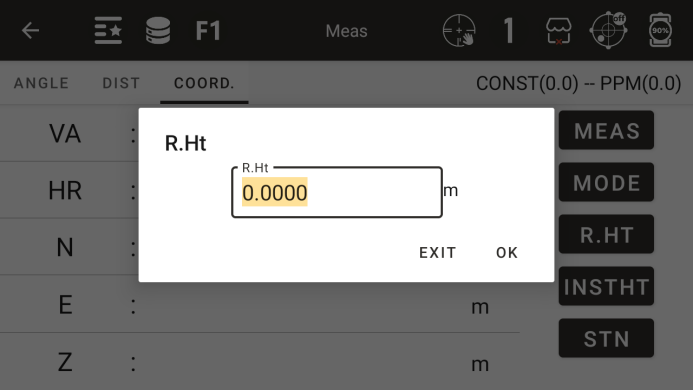
◆ Mirror height: Enter the current prism height
● Input instrument high interface
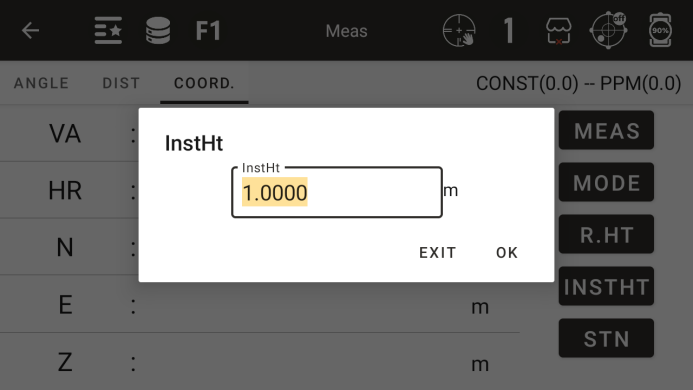
◆ Instrument height: Enter the current instrument height
◆ [Station]: Enter the interface for inputting station coordinates, and after setting, you need to reset the rearview
● Input station coordinates interface
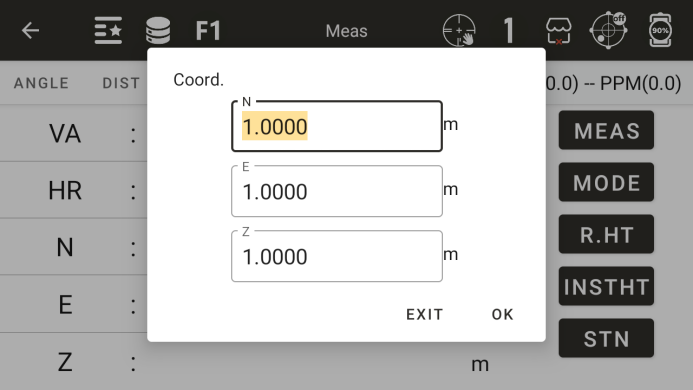
◆ North coordinates: Enter the north coordinates of the measurement station
◆ East coordinates: Enter the east coordinates of the measurement station
◆ Height: Input the elevation of the measuring station