Support
Click Support menu, click [Help] button to open software user manual.
Click Support menu, click [Release Notes] button to open release notes documentation.
Click Support menu, click [About] button to open the dialog that displays software version, website, support email and other information.
Click Support menu, click [Settings] button, open the software settings dialog.
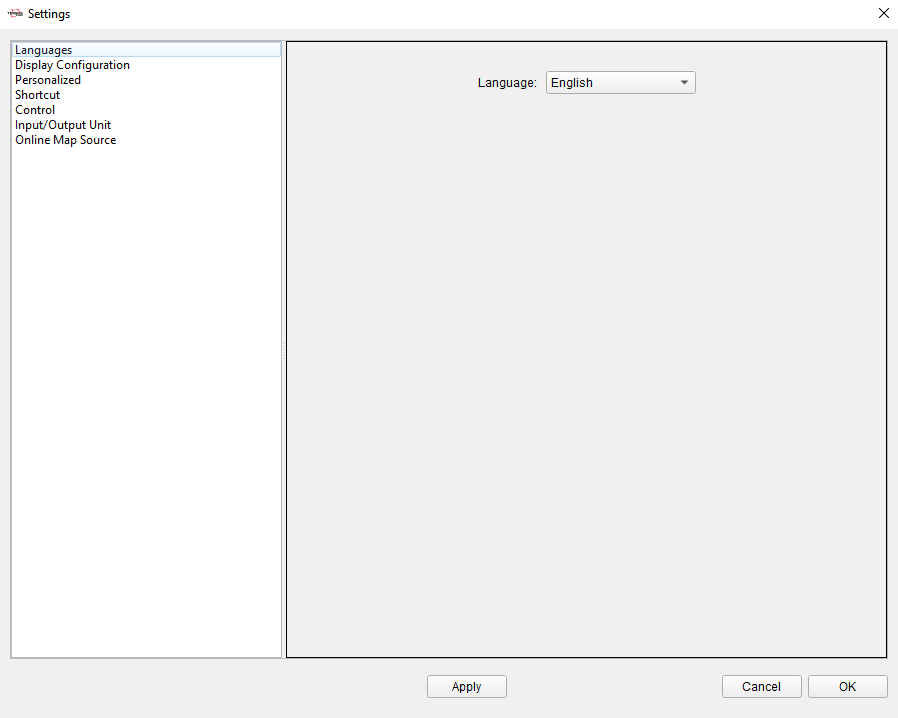
Figure 11.1 Software Settings
+-----------------------+------------------------------------------------------------------------------------------------------------------------------------------------------------------------------------------------------------------------------------------------------------------------------+ | Languages | Software display language, select English or Simplified Chinese. | +-----------------------+------------------------------------------------------------------------------------------------------------------------------------------------------------------------------------------------------------------------------------------------------------------------------+ | Display Configuration | Coordinates: Select the coordinates display order, the unit, and decimal precision of Lat/Lon, Height, North/East coordinates, Elevation, etc. | | | | | | Time: Select the time display format, the unit and decimal precision of pressure and temperature. | | | | | | General: Select the unit and decimal precision of general numbers, distance, height, angle, etc. | +-----------------------+------------------------------------------------------------------------------------------------------------------------------------------------------------------------------------------------------------------------------------------------------------------------------+ | Personalized | Software display theme style, select Standard or Deep Color. | | | | | | Select the display color of different data in the view in different states. | +-----------------------+------------------------------------------------------------------------------------------------------------------------------------------------------------------------------------------------------------------------------------------------------------------------------+ | Shortcut | Enable and define shortcuts operations. | +-----------------------+------------------------------------------------------------------------------------------------------------------------------------------------------------------------------------------------------------------------------------------------------------------------------+ | Control | Turn on or off the display of position coordinates in the view. | +-----------------------+------------------------------------------------------------------------------------------------------------------------------------------------------------------------------------------------------------------------------------------------------------------------------+ | Input/Output Unit | Select the unit for importing base map files. | +-----------------------+------------------------------------------------------------------------------------------------------------------------------------------------------------------------------------------------------------------------------------------------------------------------------+ | Online Map Source | Configure the sources in 2D Online Map and 3D Earth View. You can select Google Satellite, Google Street, ArcGIS Street and other map types to display the data and imagery. If you have your own source URL, click [Advance] to customize the source link and parameters. | +-----------------------+------------------------------------------------------------------------------------------------------------------------------------------------------------------------------------------------------------------------------------------------------------------------------+