Overview
-
Introduction
-
Installation
-
Main Interface
1.1 Introduction
Tersus Geo Office 2 is a desktop data processing software based on Windows OS, designed by Tersus GNSS Inc. and all right reserved. Tersus Geo Office 2 (hereinafter referred to as TGO2) has various functions, covering multiple business modules for professional users, supporting GNSS post-processing, online and imported basemap display, road design and inspection, RTK project processing and point clouds data processing.
Main features of TGO2 software:
-
Projects, coordinate systems and antennas management.
-
Basic view operation, 3-demensionalized display and tool measurement.
-
GNSS static data post processing.
-
Stop and Go data post processing.
-
Tersus Nuwa projects import and data processing.
-
Road design data import, editing, and visualization.
-
Point clouds data editing, DTM generation and earthwork calculation.
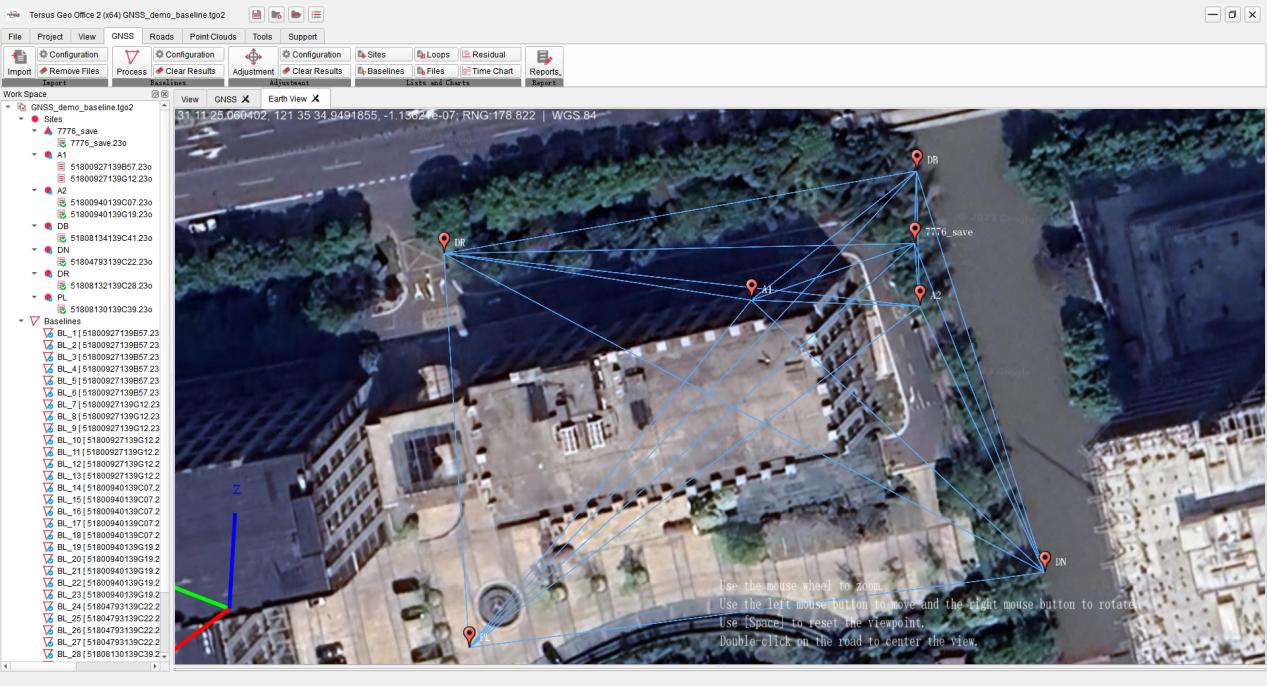
Figure 1.1 Tersus Geo Office 2
1.2 Installation
Installation process:
1. Click on the TGO2 software .exe installation package to enter the installation program.
2. Click and select the installation directory to begin the installation. If there is an older version, the old version will be uninstalled first.
3. Click on the TGO2 icon on the desktop or in the start menu list to enter the software.
Figure 1.2 TGO2 Startup Interface
1.3 Main Interface
After launching TGO2 software, the interface of the software is shown in the figure below. The historical projects are displayed in the Project Manager list. Click on the project in the list to open it directly, create a new project or click to open other local project files.
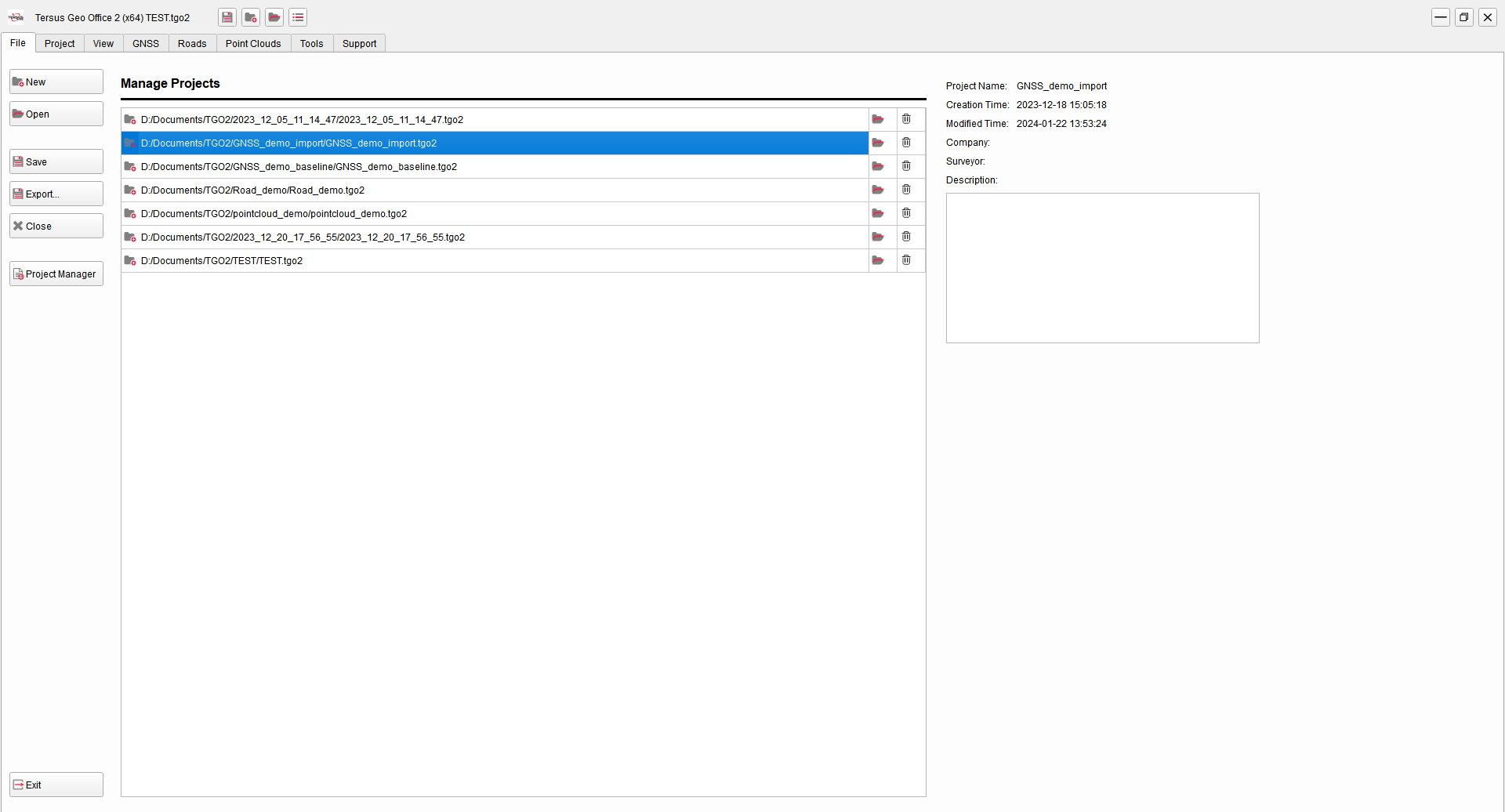
Figure 1.3 Projects Manager Interface
After opening a project or clicking other menu bar tab buttons, it will jump to the main interface of the software, as shown in the following figure. The main interface is generally divided into five parts: title bar, menu bar, work space, view section and property window.
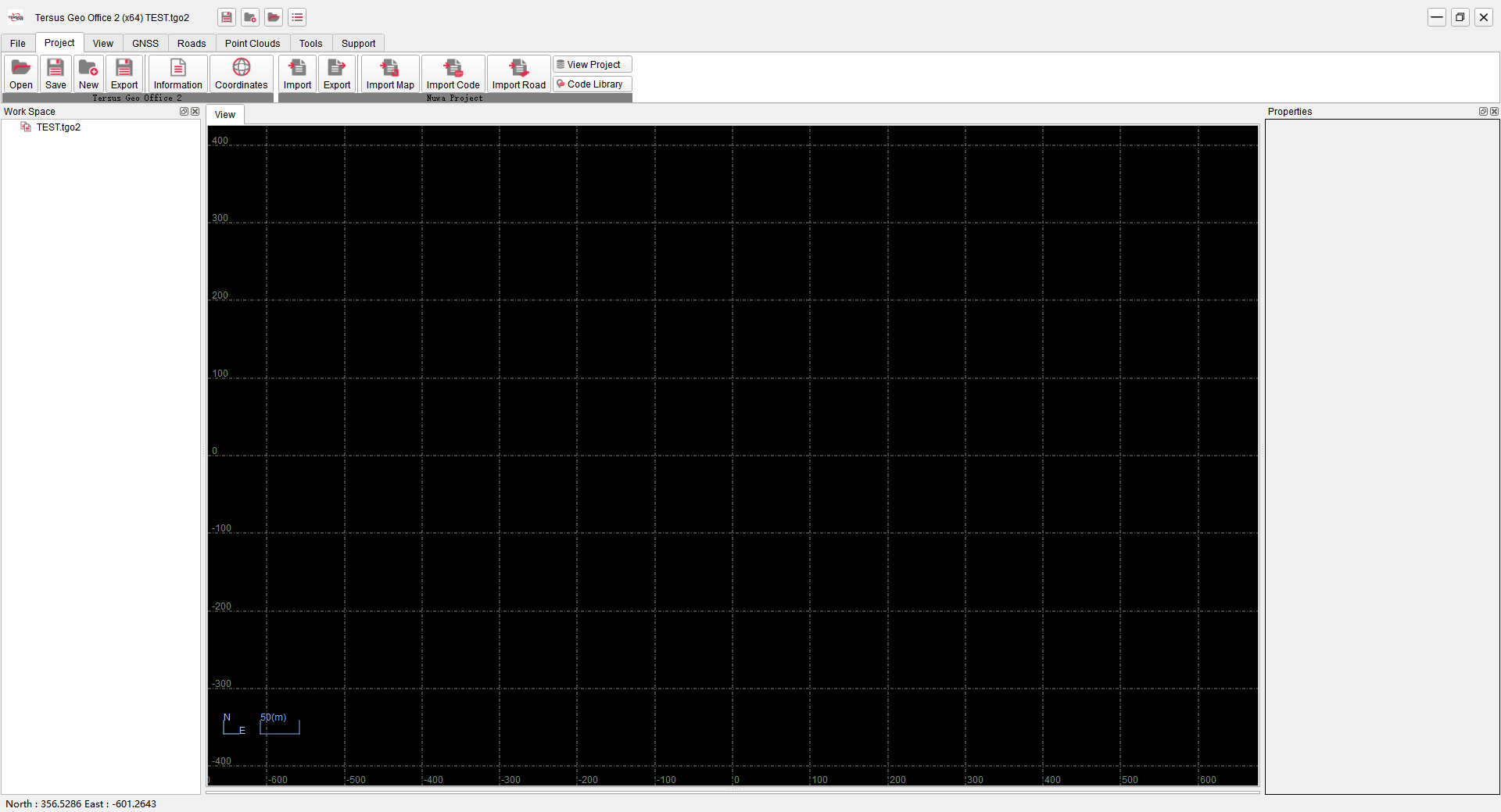
Figure 1.4 TGO2 Main Interface