Introduction
This chapter includes overview, receiver features, and devices in the package.
Overview
The Oscar Trek GNSS receiver is a new generation GNSS RTK system. It supports calibration-free tilt compensation function which is immune to magnetic disturbances, leveling pole is not required. Easy configuration with 1.54 inch interactive screen. With an internal high-performance multi-constellation and multi-frequency GNSS board, the Oscar Trek GNSS receiver can provide high accuracy and stable signal detection. The high-performance antenna can speed up the time to first fix (TTFF) and improve anti-jamming performance. The built-in large capacity battery is detachable, two batteries support up to 14 hours of field work in 4G/3G/2G network and Rover radio mode. The built-in UHF radio module supports long distance communication. The rugged housing protects the equipment from harsh environments.
Receiver features
The Oscar Trek GNSS receiver has following features:
- Supports multiple constellations & frequencies
<!-- -->
-
GPS L1C/A, L1C, L2C, L2P, L5C
-
GLONASS L1OF, L2OF, L3OC
-
BeiDou B1I, B2I, B3I, B1C, B2a, B2b
-
Galileo E1, E5a, E5b, E5AltBoc, E6
-
QZSS L1C/A, L1C, L2C, L5C
-
SBAS L1C/A, L5
-
L-Band
<!-- -->
-
Supports 1792 channels.
-
Supports 410-470MHz UHF radio, 4G network, Wi-Fi , Bluetooth, NFC.
-
Tilt compensation without calibration, immune to magnetic disturbances .
-
16GB/8GB internal storage
-
Up to 14 hours^(1)^ working in 4G/3G/2G network and Rover radio mode
-
IP68-rated dust- & waterproof enclosure, for reliability in harsh environmental conditions
-
Free subscription of Tersus Caster Service (TCS): transmit the correction data from Base to Rover
Note:
(1) One battery lasts up to 7 hours when Oscar Trek works in 4G/3G/2G network and Rover radio mode. Two batteries add up to total 14 hours use.
Devices in the package
The devices in the package may vary according to the customer requirement. Here describes the major parts in the package.
Oscar Trek GNSS receiver
The Oscar Trek GNSS receiver has three versions which are shown as below.
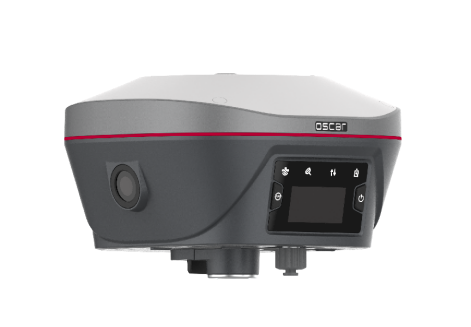
Figure 1.1 Oscar Trek GNSS receiver
Buttons
Two buttons are equipped on Oscar Trek GNSS receiver.
[ ]: Power ON/OFF button. When the device is off, long press it for 2 seconds to power on the receiver. When the receiver is on, long press it for over 3 seconds to power off the receiver.
[ ]: Function (FN) button. This button has different functions which is listed in the table below.
Table 1.1 Usage of FN button
| FN button | Trek |
|---|---|
| Selecting / Switching | On the Device Config page, press it once to lead the cursor jump to the next row or next page or previous page. When the cursor stops at an item, pressing the power button enters the sub menu of this item for function selecting or return. |
| Wake up | Tap the power button or FN button to wake up the OLED screen when the OLED screen is off. |
Combination Function of the two buttons
Press and hold the FN button, continuously tap the ON/OFF button 5 times to reset the GNSS module and make it re-search the satellites. Detailed LED flash status related to this operation refers to the LED flash patterns table.
LED Indicators
Four LED indicators and one OLED display screen are for Oscar Trek GNSS receiver. The LEDs on the front panel indicate various operating conditions. The detailed LED Descriptions are shown in the tables below.
Battery
Satellite
Correction Data
Tilt Compensation
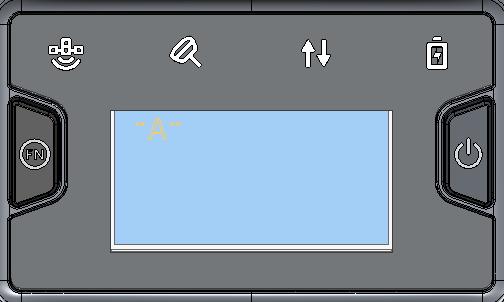
Power ON/OFF
Function
OLED display
Figure 1.2 Buttons and display on Oscar Trek
Table 1.2 LED indicators
| LED indicator | Description |
|---|---|
 | Green LED. Flashing every 5 seconds indicates that it is searching satellites. Satellite | Green LED. Flashing every 5 seconds indicates that it is searching satellites. Satellite | |
 | Green & Red LED. When tilt compensation is turned on, it is steady red; when i Tilt compensation | Green & Red LED. When tilt compensation is turned on, it is steady red; when i Tilt compensation | |
 | Green and Red LED. Green indicates correction data, and red indicates solution Correction data | Green and Red LED. Green indicates correction data, and red indicates solution Correction data | |
 | Green LED. Steady green in normal operation. Slow flash indicates the battery Battery | Green LED. Steady green in normal operation. Slow flash indicates the battery Battery |
LED Flash Patterns
The possible flash patterns of various states of receiver operation are listed in the table below.
Table 1.3 Possible LED flash patterns
| Receiver mode | Button operation | LED flash patterns |
|---|---|---|
| Receiver OFF | N/A | All LEDs are off. |
| Receiver ON | Long press the power button for 2s | All LEDs are on, then all off, and each LED starts to indicate current status after initialization. |
| Low power | N/A | Battery LED flashes slow. |
| Battery exhausting | N/A | Battery LED flashes fast. |
| Searching satellites | N/A | Satellite LED flashes every 5s |
| Satellites tracked | N/A | Satellite LED flashes N times every 5s, in which N is the quantity of satellites tracked. |
| Receiving valid data packet | N/A | Correction data LED flashes green at 1Hz |
| Fixed solution | N/A | Correction data LED is steady red. If the correction data received at the same time, it will appear orange when the two overlap. |
| Floating solution | N/A | Correction data LED flashes red at 1Hz. If the correction data received at the same time, it will appear flashing red and flashing green, sometimes it may appear flashing orange when the two overlap. |
| Reset GNSS module | Press and hold the FN button, continuously tap the ON/OFF button 5 times | All LEDs light up for 5 seconds. |
**
**
Receiver Ports
The bottom of Oscar Trek receiver is shown as below.
Serial port & external power
Mini USB port
TNC port
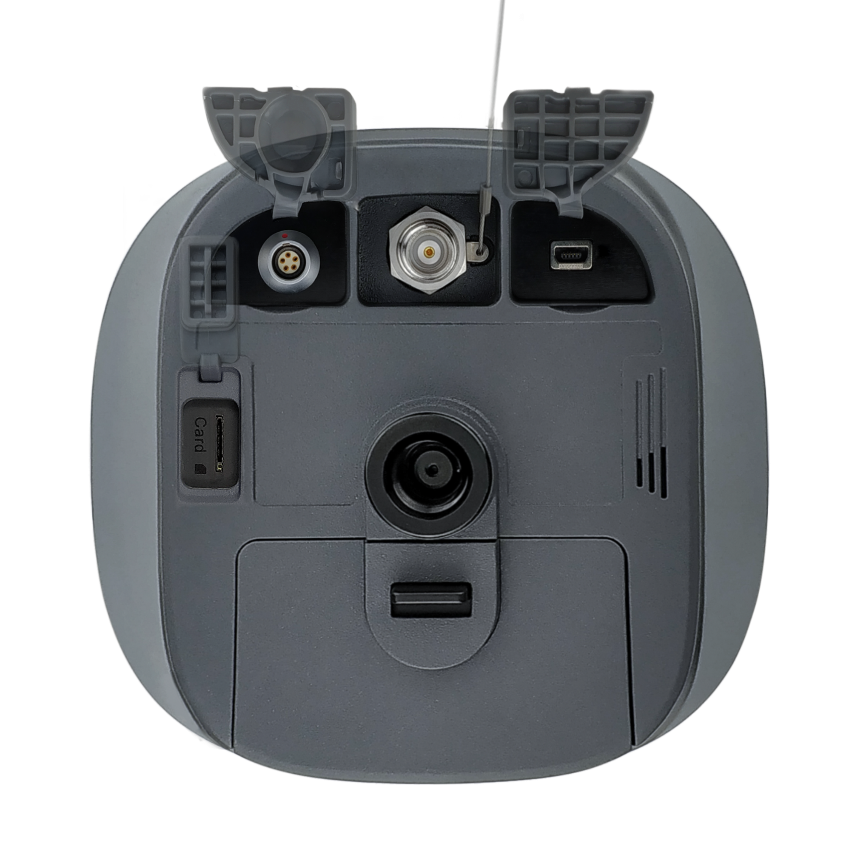
SIM slot
Battery compartment
Screw hole
Speaker
Figure 1.3 Bottom of Oscar Trek GNSS receiver
Table 1.4 Receiver ports on the bottom side
| Icon | Connector | Name | Connections |
|---|---|---|---|
  | Serial port & external power External power, RS-232 communication, external radio | ||
  | Mini USB port Device, computer, USB drive | ||
| SIM |  SIM slot Nano SIM card SIM slot Nano SIM card | ||
| - |  TNC port 410-470MHz radio antenna TNC port 410-470MHz radio antenna | ||
| - |  Screw hole 5/8'' x 11 UNC-2B connector for corresponding co Screw hole 5/8'' x 11 UNC-2B connector for corresponding co | nector and pole. |
Battery and charger
Oscar Trek equips smart lithium batteries which can detect electricity and display the power level intelligently. The Oscar Trek GNSS receiver can also be powered by external power source via serial data port. The built-in large capacity battery is detachable, two batteries support up to 14 hours of field work in 4G/3G/2G mode and rover radio mode.
The BN20 battery is shown as below. Press the button on the top, it shows the power level left to be consumed.
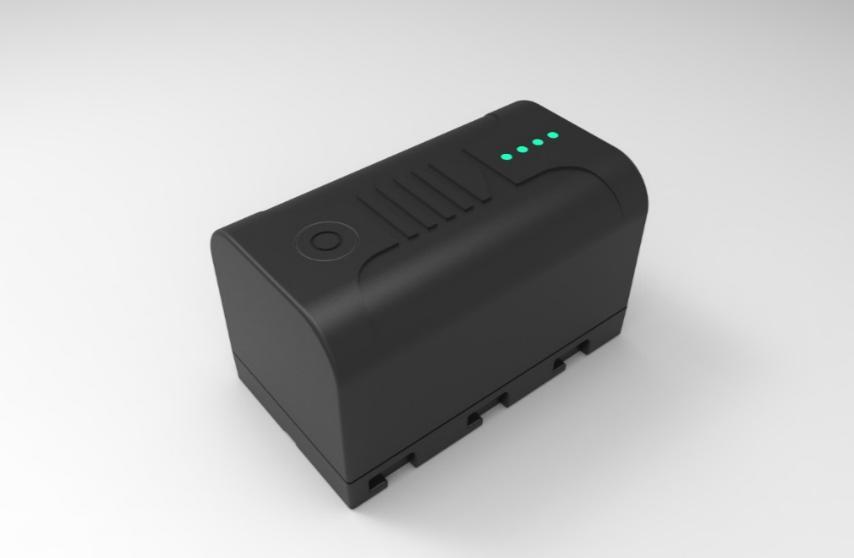
Figure 1.4 BN20 Battery
The CN20 Charger is able to charge two BN20 batteries at the same time which is shown in the figures below.
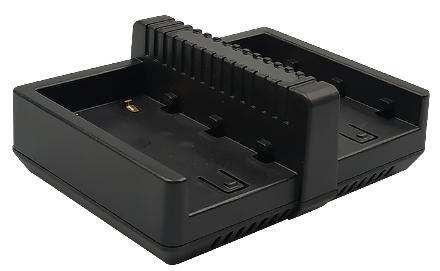
Figure 1.5 CN20 Charger
Place two BN20 batteries in the slots of CN20 charger.
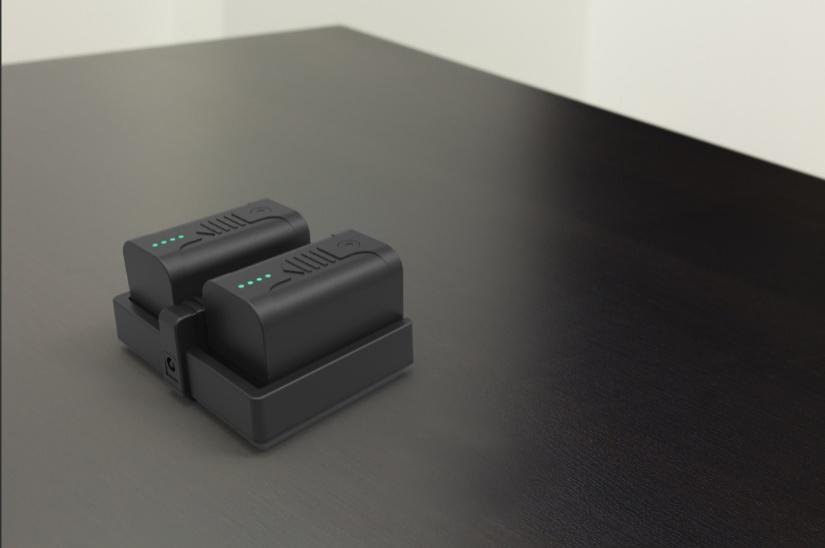
Figure 1.6 CN20 Charger with two BN20 batteries
Insert the DC Jack connector of the adapter to the CN20 charger, then make the adapter with cable plug in the local AC outlet (100~240V AC) to start charging.
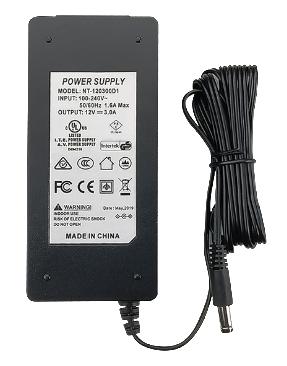
Figure 1.7 CN20 Charger Adapter
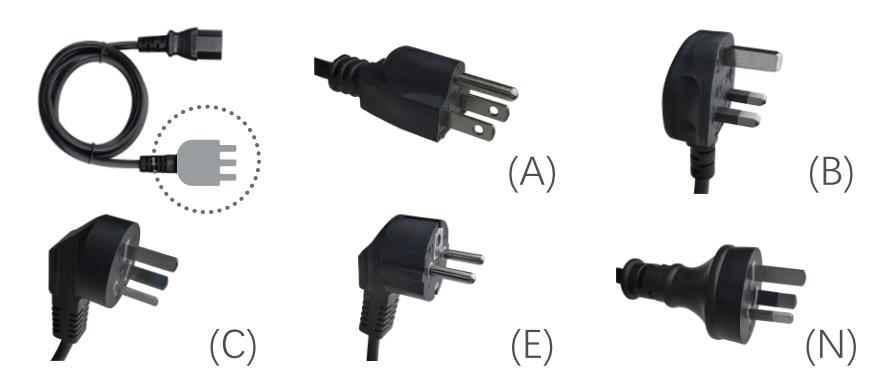
Figure 1.8 CN20 Charger Adapter Cable (A/B/C/E/N)
Note: The model of the CN20 charger adapter cable will be delivered according to customer requirements.
A: American, B: British, C: Chinese, E: European, N: Australian
Charge the battery completely before using it for the first time. The charging takes approximately 3 hours per battery at room temperature. If the battery has been stored for longer than three months, charge it before use.
TC80 controller
The Tersus TC80 Controller is a rugged multi-functional data controller with design of 5.5 inch sunlight readable HD touch screen and an alphanumerical keypad. Equipped with powerful processor and android operating system, it is perfect to adapt with Tersus survey software. With professional IP68 rating, it is robust and reliable for harsh operating conditions. The large capacity lithium battery guarantees more than 10 hours of field working for a whole day of multiple surveying tasks.
Features:
-
5.5 inch sunlight readable HD touch screen
-
Octa-core 2.0GHz CPU
-
Android 12 operating system
-
6GB RAM + 64GB ROM
-
5MP front camera and 13MP rear camera
-
IP67 certified grade, water/shock/dust proof
-
7700mAh battery
-
Wi-Fi, Bluetooth, NFC, 4G
-
USB Type-C
Note: Although the TC80 controller uses chemical and impact resistant materials, precision instruments require careful use and maintenance and should be kept as dry as possible. In order to improve the stability and life cycle of the TC80 controller, avoid exposing the TC80 controller to extreme environments such as moisture, high temperatures, low temperatures, corrosive liquids or gases.
| TC80 must be in the specified temperature range -20 °C ~ 55 °C when used and stored. |
|---|
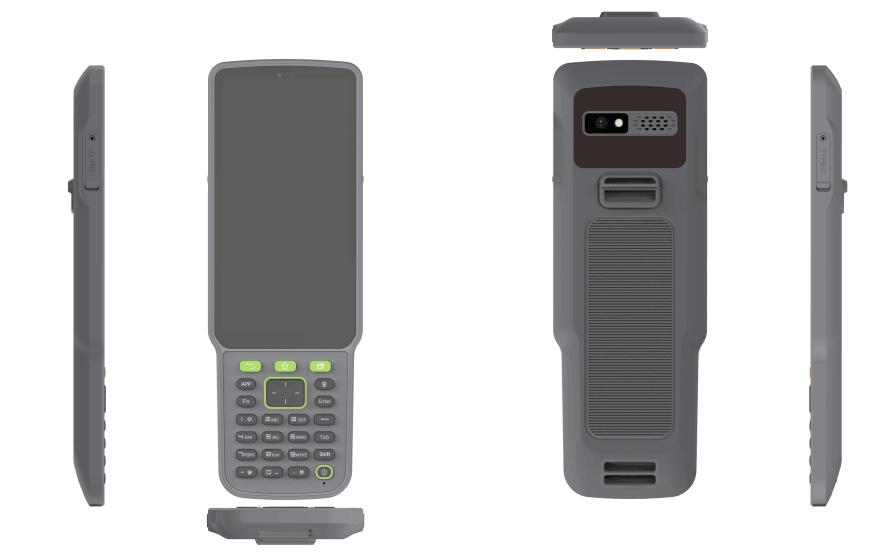
Power on: Press and hold the power button for 3 seconds
Power off: Press and hold the power button for 3 seconds, select 'Power Off' in the menu option.
Reboot: Press and hold the power button for 2 seconds and click "Restart" in the menu option.
Forced restart: Press and hold the power button for 8 seconds to force the controller to restart.
Introduction of functional keys:
-
Menu Key: Select to show applications that was used recently.
-
Home Key: Return to home screen. To view recent application, press and hold the home key.
-
Back Key: Return to previous screen.
-
APP Key: Quick start Nuwa application.
-
Positioning Key: Perform the function of starting measurement in the Survey and Stakeout interface of Nuwa application.
-
**Short Press on Power Key:**Control the screen on and off.
Enter Key: Execute the function of confirming in Nuwa application.
The accessories of TC80 Controller are listed below.
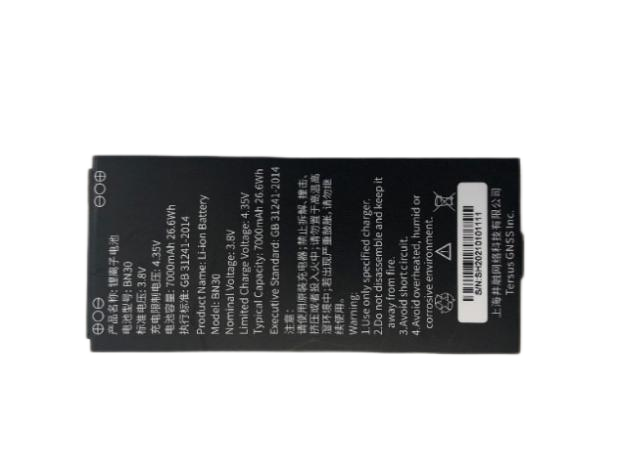
TC80 Lithium Battery (3.8V/7700mAh)
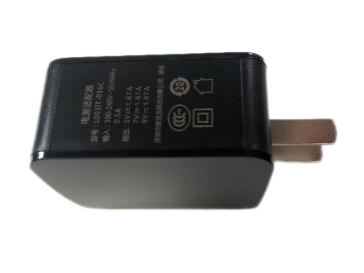
TC80 Charger (5V/1.67A, 7V/1.67A, 9V/1.67A)
Type-C Cable
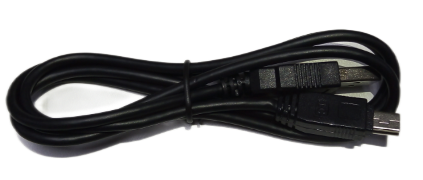
Functions:
1. Connect to the USB port of computer for data downloading;
2. Connect to the charger to charge TC80 controller.
Other accessories
Other accessories may be packed according to customer requirements.
The 410-470MHz radio whip antenna is to be installed on the TNC port to transmit or receive signal for the internal radio.
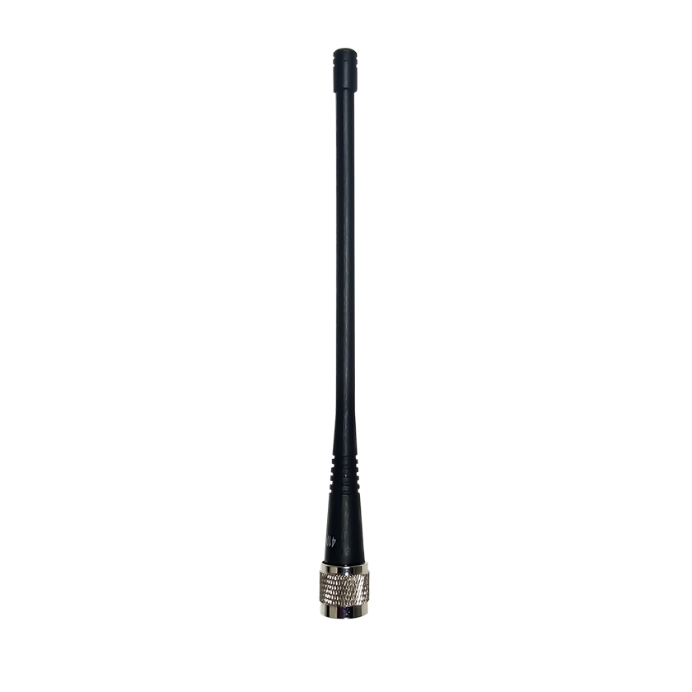
Figure 1.9 410-470MHz radio whip antenna
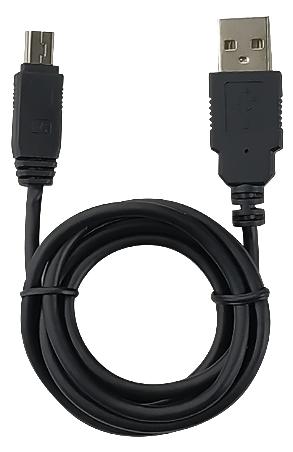
Figure 1.10 Mini USB cable
Mini USB cable functions:
1. Connect Oscar Trek to the USB port of computer for data downloading;
When upgrading firmware with a wire, you need a Mini-USB OTG cable. The detailed usage refers to section 2.4.1.

Figure 1.11 Mini-USB OTG cable
When using Oscar Trek as a rover, you need a ranging pole.
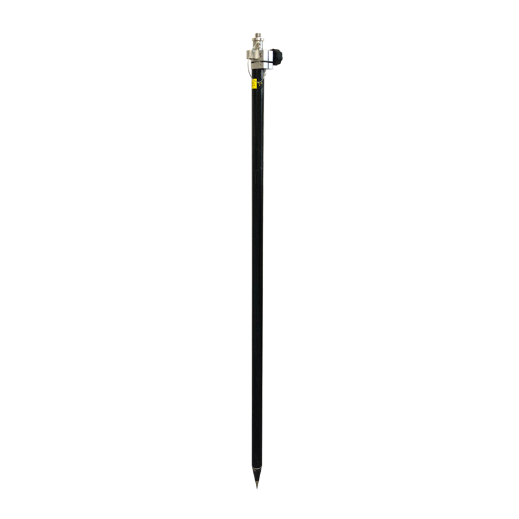
Figure 1.12 Ranging Pole
The bracket for TC80 controller is to fix the TC80 controller on a ranging pole.
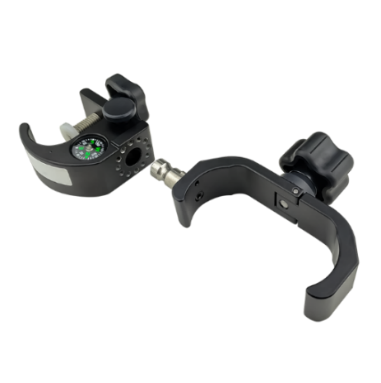
Figure 1.13 Bracket for TC80
A yellow carrying case is to store all the devices and accessories except ranging pole, high gain radio antenna and telescopic pole.
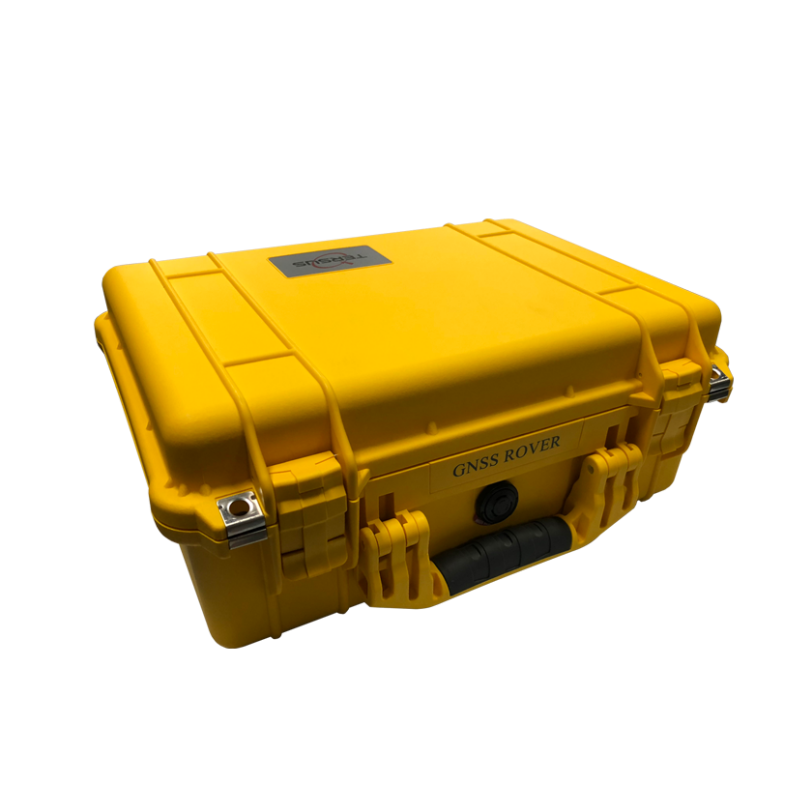
Figure 1.14 Carrying Case
The tool bag below is to store high gain radio antenna and telescopic pole for radio antenna.

Figure 1.15 Tool bag
The Serial-5pin to DC JACK & DB9 Male cable and the DC JACK male with two wires (the brown wire connects to power and the blue wire connects to ground) below are optional. It is to power Oscar Trek using external power source instead of the BN20 battery.
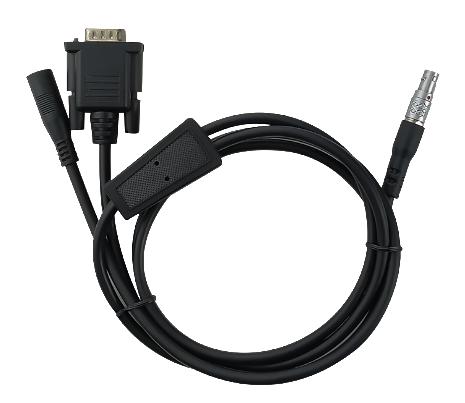
Figure 1.16 Serial-5pin to DC JACK & DB9 male cable
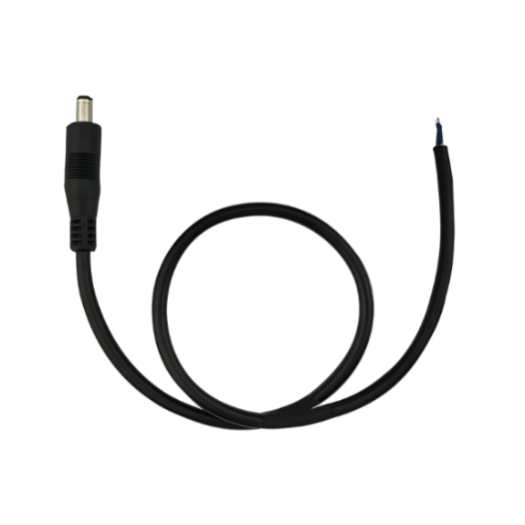
Figure 1.17 DC JACK male with two wires
The DB9 Female to USB Type A Male converter cable is to convert DB9 male to USB Type A male connector, so that it can connect to the USB port of a computer.
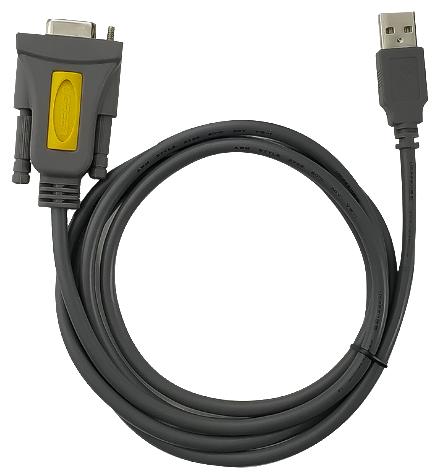
Figure 1.18 DB9 Female to USB Type A Male converter cable