Introduction
This chapter includes overview, receiver features, and devices in the package.
Overview
The LUKA GNSS Receiver is a new generation GNSS RTK system, which is small and light, easy to carry and operate. It supports calibration-free tilt compensation function which is immune to magnetic disturbances, leveling pole is not required. With an internal high-performance multi-constellation and multi-frequency GNSS board, the LUKA GNSS Receiver can provide high accuracy and stable signal detection. The high-performance antenna can speed up the time to first fix (TTFF) and improve anti-jamming performance. The built-in 7000mAh large capacity battery supports up to 10 hours of field work in 4G/3G/2G network and Rover radio mode. The built-in UHF radio module supports long distance communication. The rugged housing protects the equipment from harsh environments.
There are four versions of the LUKA GNSS Receiver, which can provide selectivity for the requirement from different users.
Receiver features
The LUKA GNSS receiver has following features:
- Supports multiple constellations & frequencies
<!-- -->
-
GPS L1C/A, L1C, L2C, L2P, L5C
-
GLONASS L1OF, L2OF, L3OC
-
BeiDou B1I, B2I, B3I, B1C, B2a, B2b
-
Galileo E1, E5a, E5b, E5AltBoc, E6
-
QZSS L1C/A, L1C, L2C, L5C
-
SBAS L1C/A, L5
-
L-Band
<!-- -->
-
Supports 1792 channels^(1)^.
-
Supports 410-470MHz UHF radio, 4G network, Wi-Fi , Bluetooth, NFC
-
Tilt compensation without calibration, immune to magnetic disturbances
-
The whole design is eaquisite and compact, which is more convenient to carry and operate
-
8GB internal storage
-
Up to 10 hours working in 4G/3G/2G network and Rover radio mode^(2)^
-
IP68-rated dust- & waterproof enclosure, for reliability in harsh environmental conditions
-
Free subscription of Tersus Caster Service (TCS): transmit the correction data from LUKA Base to Rover
-
With worldwide coverage, TAP^(1)^ can be used to receive corrections
Note:
(1) TAP Service is available exclusively on LUKA-TAP version.
(2) The working time of the battery is related to the working environment, working temperature and battery life.
Devices in the package
The devices in the package may vary according to the customer requirement. Here describes the major parts in the package.
LUKA GNSS receiver
The LUKA GNSS receiver shown as below.

Figure 1.1[]{#_Toc8690 .anchor} LUKA GNSS receiver
Buttons
One button is equipped on each version of LUKA GNSS receiver.
[ ]: Power ON/OFF button. When the device is off, long press it for 2 seconds to power on the receiver. When the receiver is on, long press it for over 3 seconds to power off the receiver.
LED Indicators
Six LED indicators are for LUKA GNSS receiver, smart battery with power display on the bottom. The LEDs on the front panel indicate various operating conditions. The detailed LED Descriptions are shown in the tables below.
Correction Data
Static
Satellite
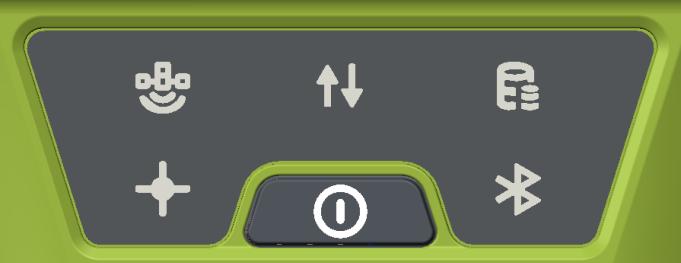
Bluetooth
Power ON/OFF Button
Battery
Solution
Figure 1.2[]{#_Toc18675 .anchor} Button and LEDs on LUKA GNSS receiver
Table 1.1[]{#_Toc30554 .anchor} LED indicators
| LED indicator | Description |
|---|---|
 | Green LED. Flashing every 5 seconds indicates that it is searching satellites. Satellite | Green LED. Flashing every 5 seconds indicates that it is searching satellites. Satellite | |
 | Green LED indicates correction data. Correction data | Green LED indicates correction data. Correction data | |
 | Green LED indicates static survey mode. Static Survey | Green LED indicates static survey mode. Static Survey | |
 | Green LED. Steady green indicates fixed solution, flashing 1Hz indicates float Solution status | Green LED. Steady green indicates fixed solution, flashing 1Hz indicates float Solution status | |
 | Green LED indicates Bluetooth status. Steady green indicates successful Blueto Bluetooth | Green LED indicates Bluetooth status. Steady green indicates successful Blueto Bluetooth | |
| | Green LED. Steady green in normal operation. Slow flash indicates the battery Battery |
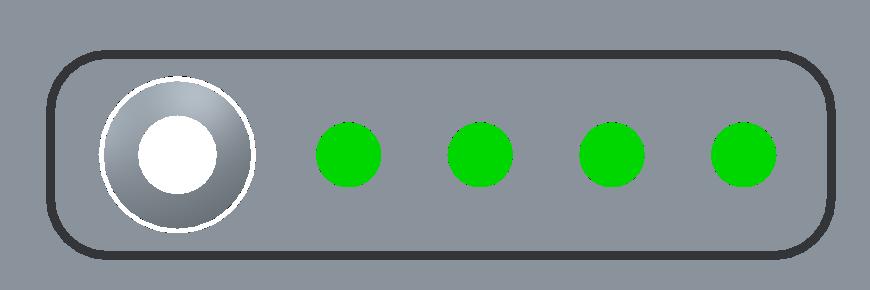
Power Display
Battery Button
Figure 1.3[]{#_Toc18375 .anchor} Smart battery with power display
Table 1.2[]{#_Toc7112 .anchor} Power display and button
| LED indicator | Description |
|---|---|
| Battery Button | After clicking the battery button, the green light will be on to display the current remaining power. |
| Power Display | Green LED. Under normal circumstances, one indicator represents 25% of the power. When charging, the green light flashes to display the current charging power. |
LED Flash Patterns
The possible flash patterns of various states of receiver operation are listed in the table below.
Table 1.3[]{#_Toc29539 .anchor} LED flash patterns
| Receiver mode | Button operation | LED flash patterns |
|---|---|---|
| Receiver OFF | Long press the power button for 5s | All LEDs are off. |
| Receiver ON | Long press the power button for 2s | All LEDs are on, then all off, and each LED starts to indicate current status after initialization. |
| Low power | N/A | Battery LED flashes slow. |
| Battery exhausting | N/A | Battery LED flashes fast. |
| Searching satellites | N/A | Satellite LED flashes every 5s. |
| Satellites tracked | N/A | Satellite LED flashes N times every 5s, in which N is the quantity of satellites tracked. |
| Receiving valid data packet | N/A | Correction data LED flashes green at 1Hz. |
| Fixed solution | N/A | Solution status LED is steady green. |
| Floating solution | N/A | Solution status LED flashes green at 1Hz. |
| Firmware upgrade | N/A | all six LEDs are on for 3s thereafter only power LED lights up, then all LEDs light up and flashes in turn when upgrading, lights off when restarting. Then all six LEDs light up for 1s thereafter only power LED lights up means it restarts successfully with updated firmware. |
Note: N/A means Not Applicable.
Receiver Ports
The bottom of LUKA receiver is shown as below.
SIM slot
TNC port
Serial port & external power
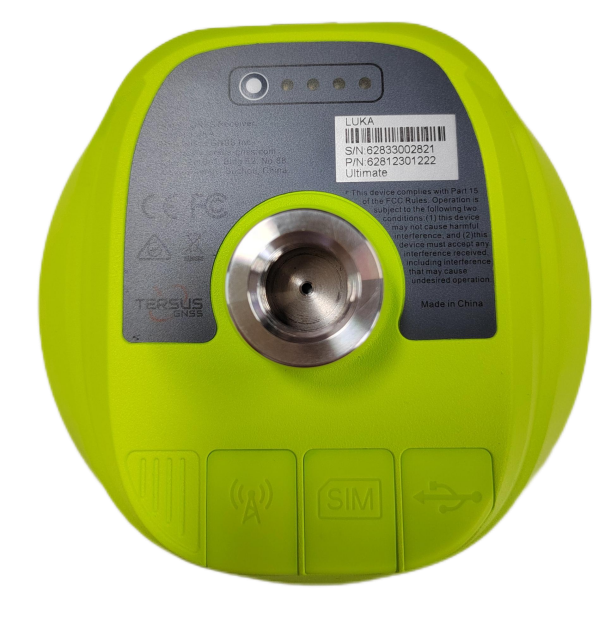
Screw hole
Smart battery with power display
Figure 1.4[]{#_Toc19409 .anchor} Bottom of LUKA GNSS receiver
Table 1.4[]{#_Toc31286 .anchor} Receiver ports on the bottom side
| Icon | Name | Connections |
|---|---|---|
 Serial port & external power Device, computer, USB drive, external power, comm Serial port & external power Device, computer, USB drive, external power, comm | nication, external radio | |
 SIM slot Nano SIM card SIM slot Nano SIM card | ||
 TNC port 410-470MHz radio antenna TNC port 410-470MHz radio antenna | ||
 Screw hole 5/8'' x 11 UNC-2B connector for corresponding co Screw hole 5/8'' x 11 UNC-2B connector for corresponding co | nector and pole. |
Type-C to USB cable
Functions:
-
Connect to the USB port of computer for data downloading;
-
Firmware upgrade, details refer to section 2.4;
3. Connect to the charger adapter to charge LUKA. Charge the battery completely before using LUKA for the first time. The charging takes approximately 3 hours at room temperature. If the battery has been stored for longer than three months, charge it before use.
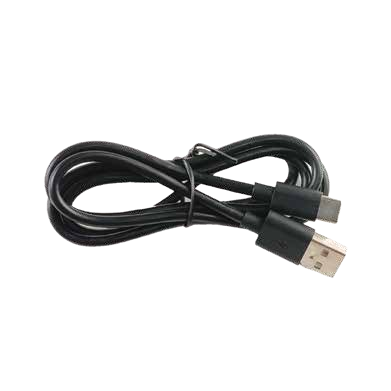
Figure 1.5[]{#_Toc26673 .anchor} Type-C to USB cable
Adapter
Connect to the Type-C cable to charge LUKA. The maximum power can reach 15W(5V 3A), realizing fast charging.
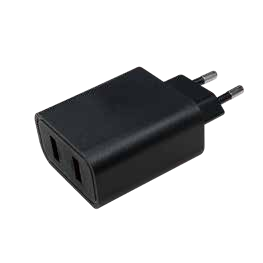
Figure 1.6[]{#_Toc14382 .anchor} Adapter for EU
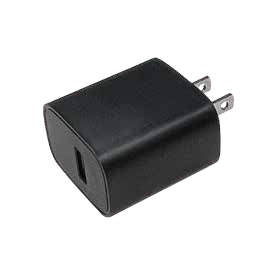
Figure 1.7[]{#_Toc14881 .anchor} Adapter for US
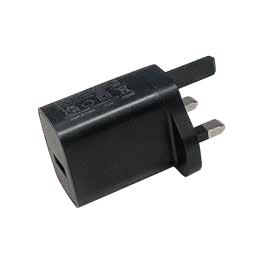
Figure 1.8[]{#_Toc20126 .anchor} Adapter for UK
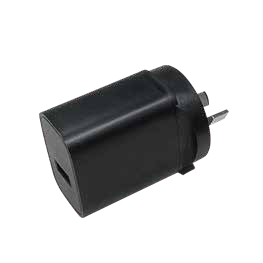
Figure 1.9[]{#_Toc26083 .anchor} Adapter for AU
EU: European, US: American, UK: British, AU: Australian
TC50 controller
The Tersus TC50 Controller is a rugged multi-functional data controller with design of 5 inch sunlight readable HD touch screen and an alphanumerical keypad. Equipped with powerful processor and android operating system, it is perfect to adapt with Tersus survey software. With professional IP68 rating, it is robust and reliable for harsh operating conditions. The large capacity lithium battery guarantees more than 10 hours of field working for a whole day of multiple surveying tasks.
Features:
-
5 inch sunlight readable HD touch screen
-
Octa-core 2.0GHz CPU
-
Android 8.1 operating system
-
4GB RAM + 64GB ROM
-
5MP front camera and 13MP rear camera
-
IP68 certified grade, water/shock/dust proof
-
7000mAh battery
-
Wi-Fi, Bluetooth, NFC, 4G
-
USB Type-C
Note: Although the TC50 controller uses chemical and impact resistant materials, precision instruments require careful use and maintenance and should be kept as dry as possible. In order to improve the stability and life cycle of the TC50 controller, avoid exposing the TC50 controller to extreme environments such as moisture, high temperatures, low temperatures, corrosive liquids or gases.
| TC50 must be in the specified temperature range -20 °C ~ 55 °C when used and stored. |
|---|
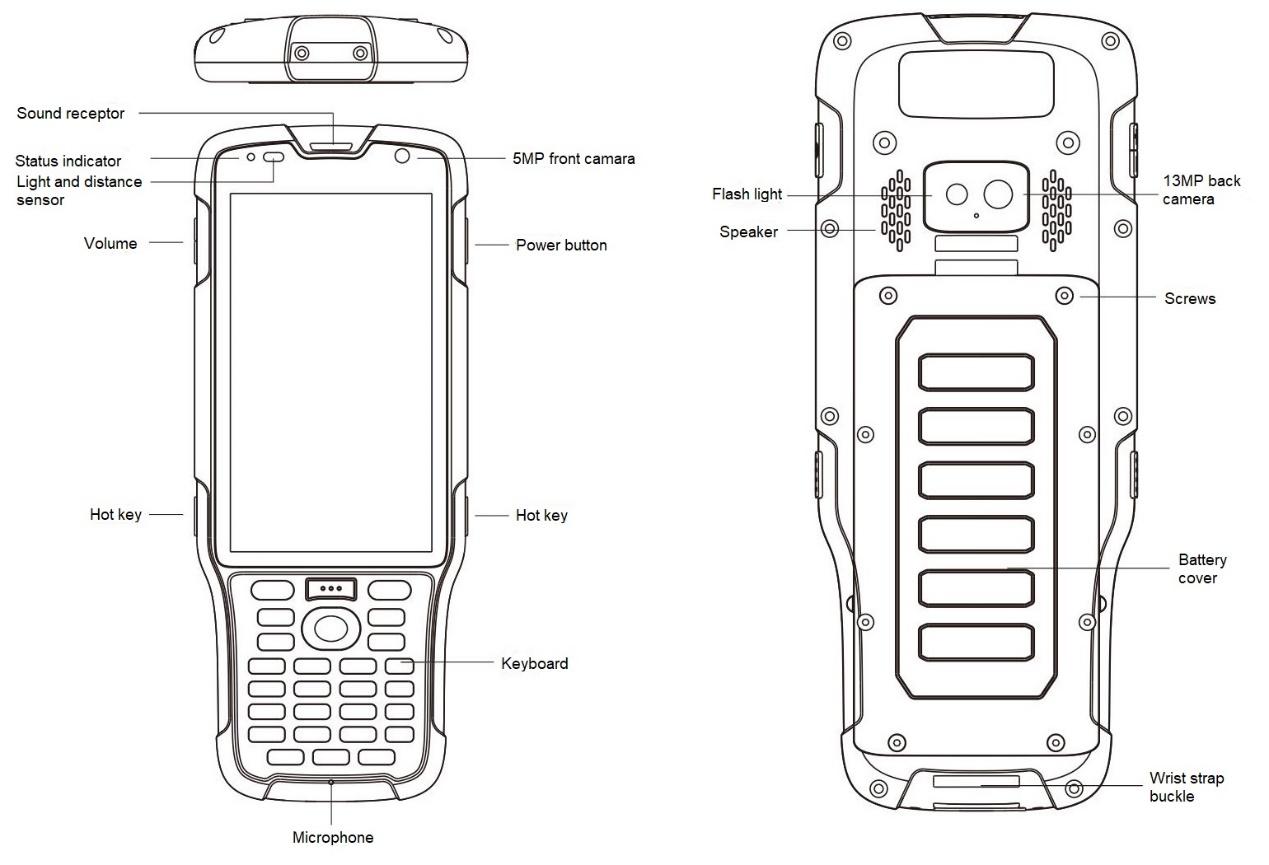
Figure 1.10[]{#_Toc30175 .anchor} TC50 Controller
Power on: Press and hold the power button for 3 seconds
Power off: Press and hold the power button for 3 seconds, select 'Power Off' in the menu option.
Reboot: Press and hold the power button for 2 seconds and click "Restart" in the menu option.
Forced restart: Press and hold the power button for 8 seconds to force the controller to restart.
Introduction of functional keys:
-
Menu Key: Select to show applications that was used recently.
-
Home Key: Return to home screen. To view recent application, press and hold the home key.
-
Back Key: Return to previous screen.
-
APP Key: Quick start Nuwa application.
-
Blue Positioning
 Key: Perform the function of starting measurement in the Survey and Stakeout interface of Nuwa application.
 -
Yellow Bulb **Key:**Control the screen on and off.
ENTER Key: Execute the function of confirming in Nuwa application.
The accessories of TC50 Controller are listed below.
TC50 Lithium Battery (3.8V/7000mAh)
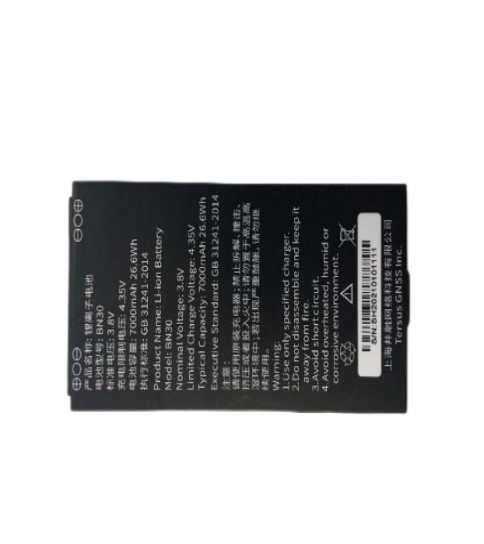
Figure 1.11[]{#_Toc25934 .anchor} TC50 Lithium Battery
TC50 Charger (5V/1.67A, 7V/1.67A, 9V/1.67A)
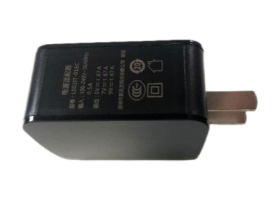
Figure 1.12[]{#_Toc15538 .anchor} TC50 Charger
Type-C Cable
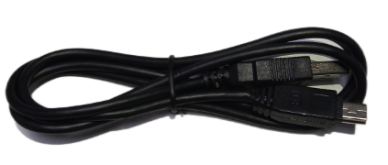
Figure 1.13 Type-C cable
Functions:
1. Connect to the USB port of computer for data downloading;
2. Connect to the charger to charge TC50 controller.
External radio for LUKA
The external radio RS400H3 for LUKA below is to be installed via serial data port, and it can help LUKA transmitting signals farther than internal radio.
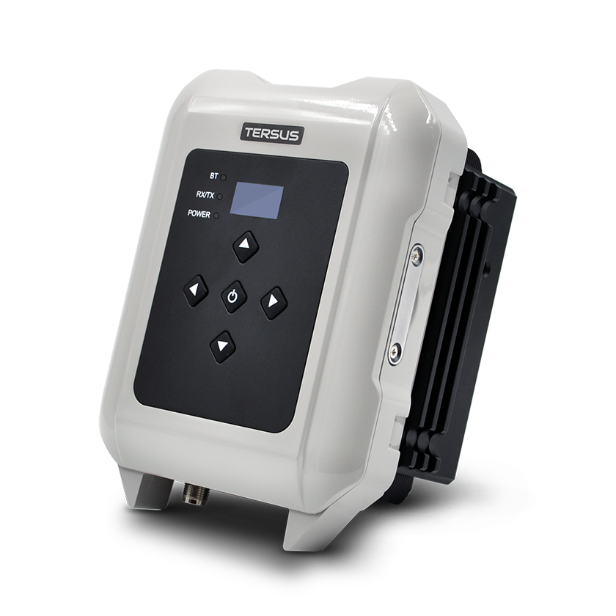
Figure 1.14[]{#_Toc13374 .anchor} External radio for LUKA
When using external radio for LUKA as a base, a high gain radio antenna and a telescopic pole are needed which are shown as below.
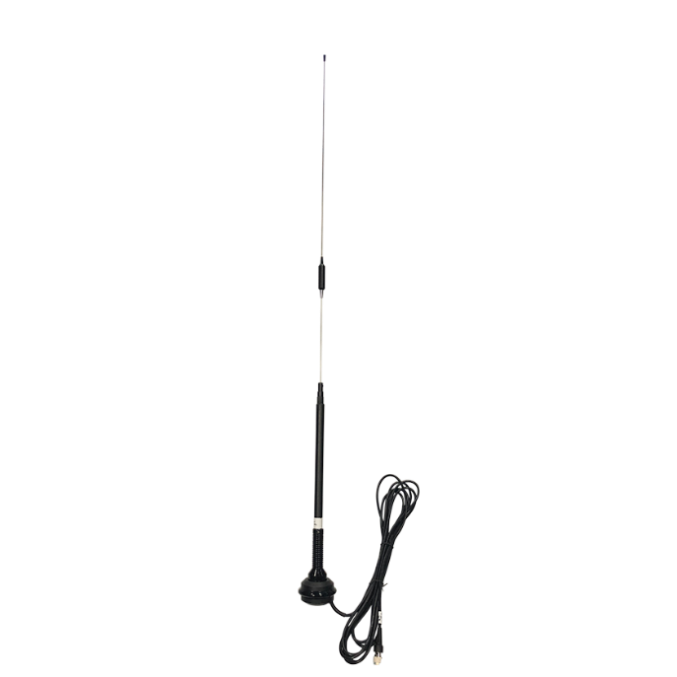
Figure 1.15[]{#_Toc11753 .anchor} High gain radio antenna
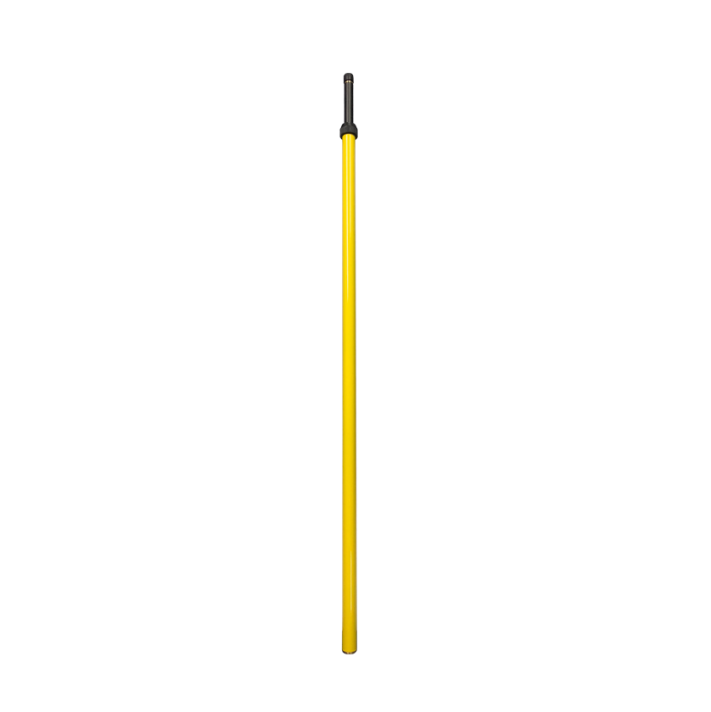
Figure 1.16[]{#_Toc25924 .anchor} Telescopic pole for radio antenna
The following Serial-5pin to External-Radio-DC-5pin & Bullet-DC Cable and Bullet-DC to Alligator Clips are used to communicate with LUKA and connect to external power supply.
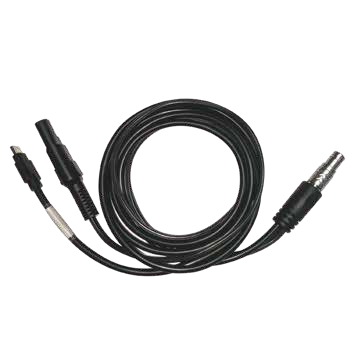
Figure 1.17[]{#_Toc10946 .anchor} Serial-5pin to External-Radio-DC-5pin & Bullet-DC Cable
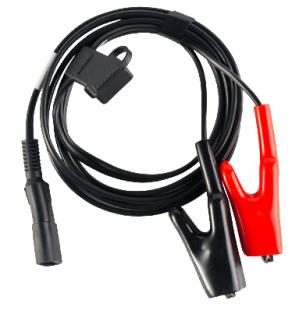
Figure 1.18[]{#_Toc28315 .anchor} Stylus pen for TC20
Other accessories
Other accessories may be packed according to customer requirements.
The GNSS antenna connector is used to install LUKA to a tripod.
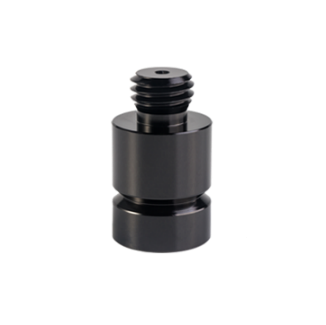
Figure 1.19[]{#_Toc16243 .anchor} GNSS antenna connector
The height measure accessory is used to determine the height of LUKA with higher accuracy.
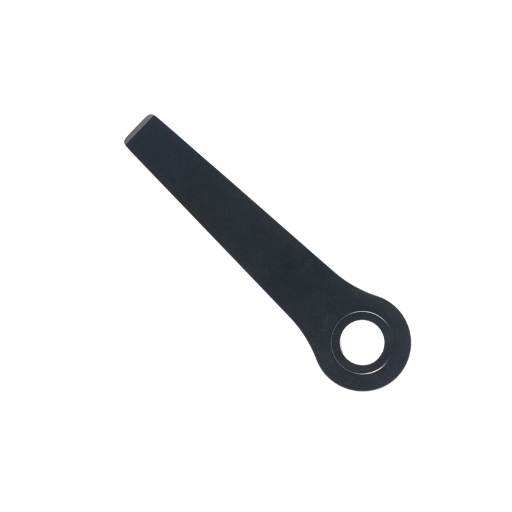
Figure 1.20[]{#_Toc17246 .anchor} Height measure accessory
The tape measure below is to help measure height.
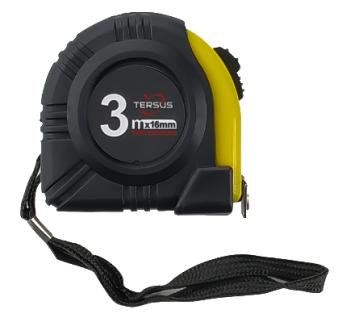
Figure 1.21[]{#_Toc9734 .anchor} Tape measure
The 410-470MHz radio whip antenna is to be installed on the TNC port to transmit or receive signal for the internal radio.
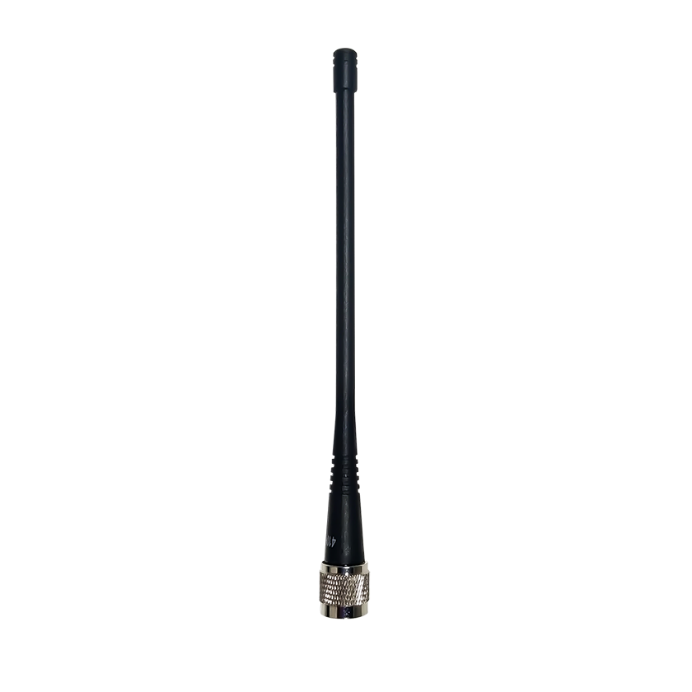
Figure 1.22[]{#_Toc3321 .anchor} 410-470MHz radio whip antenna
When installing 410-470MHz radio whip antenna on LUKA, it is necessary to use a 30cm extension pole to heighten LUKA and avoid bending the 410-470MHz radio whip antenna.
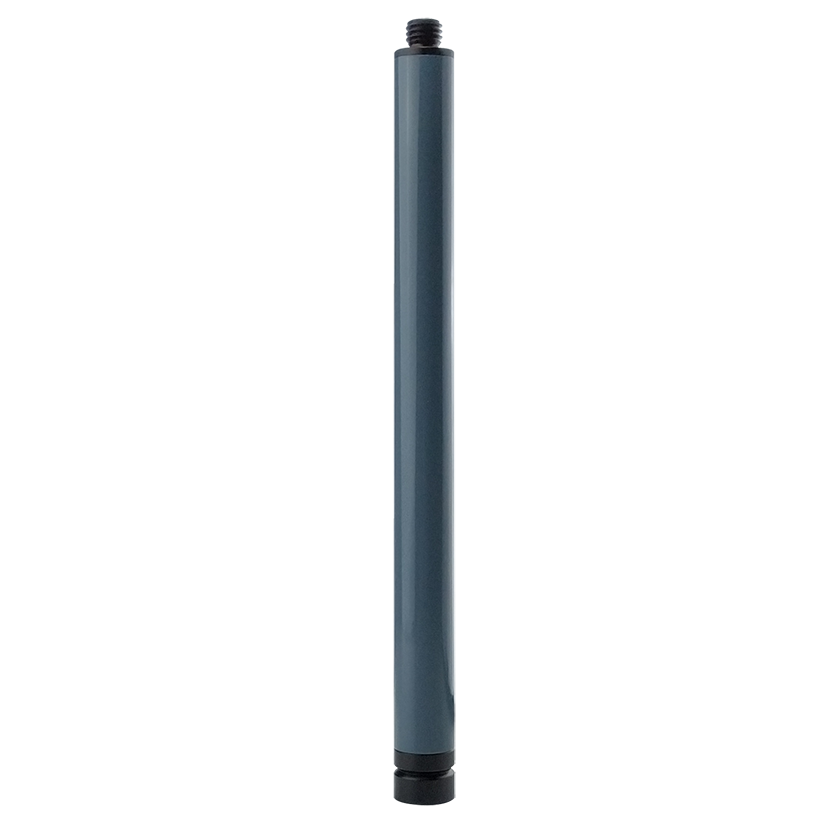
Figure 1.23[]{#_Toc27495 .anchor} Extension pole 30cm
This metal fixing plate is used to fixate the high gain radio antenna to the tripod.

Figure 1.24[]{#_Toc6366 .anchor} Metal fixing plate
When using LUKA as a rover, you need a ranging pole.
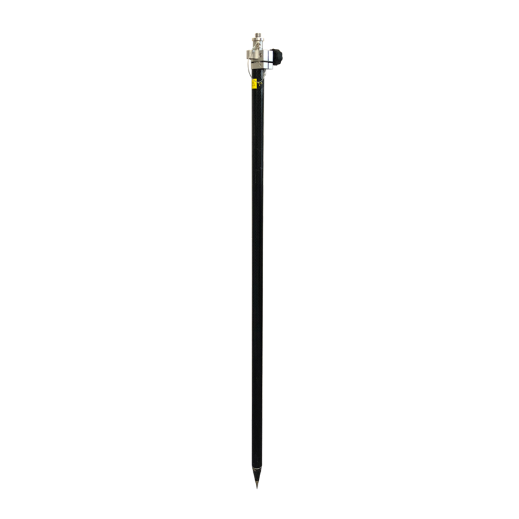
Figure 1.25[]{#_Toc27324 .anchor} Ranging Pole
The bracket for TC20 controller is to fix the TC50 controller on a ranging pole.
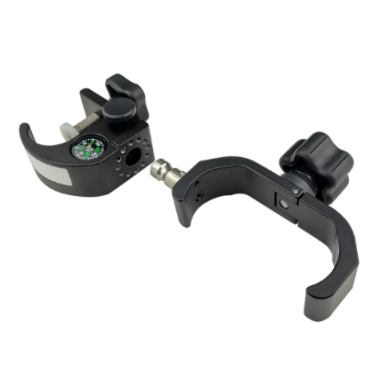
Figure 1.26[]{#_Toc20089 .anchor} Bracket for TC50
A yellow carrying case is to store all the devices and accessories except ranging pole, high gain radio antenna and telescopic pole.
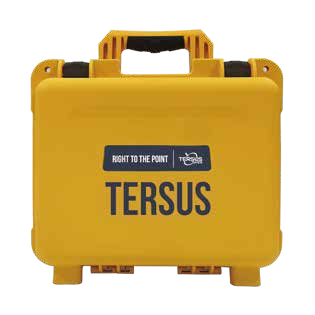
Figure 1.27[]{#_Toc4852 .anchor} Carrying Case
The tool bag below is to store high gain radio antenna and telescopic pole for radio antenna.

Figure 1.28[]{#_Toc16741 .anchor} Tool bag
The configuration cable for external radio RS400H3 below is used to configure parameters of the 28W radio instead of the default setting.
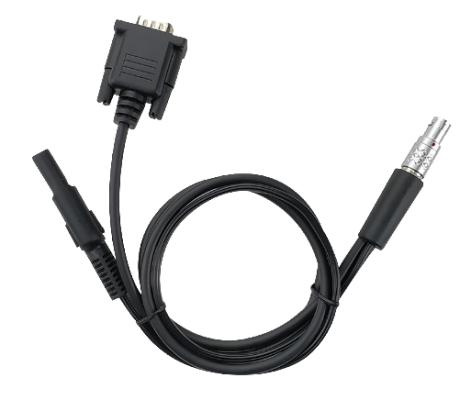
Figure 1.29[]{#_Toc10915 .anchor} Configuration cable for 28W radio